
A slow workbook can usually be made fast without changing how it looks or works: an Excel VBA developer finds what makes it slow, fixes those parts, and measures the difference.
The issue
Our scheduling workbook has grown over the years and is now painfully slow. It takes almost a minute to open, freezes for several seconds every time someone changes a cell or applies a filter, and the macro that builds the weekly roster runs for minutes. Everyone depends on it, so we can’t start over.
We need someone to find out why it’s slow and make it fast again, without changing how the sheets look or how we use them.
How I’d build it
Yes, I can definitely speed this up for you.
First I find where the time goes. I time how long the workbook takes to open, to recalculate and to run each macro, then go through it sheet by sheet. In older workbooks the time usually comes from a handful of things: the same lookup repeated in every column, functions such as INDIRECT and OFFSET that recalculate on every change, conditional formatting rules that have been copied thousands of times, and macros that select cells one at a time.
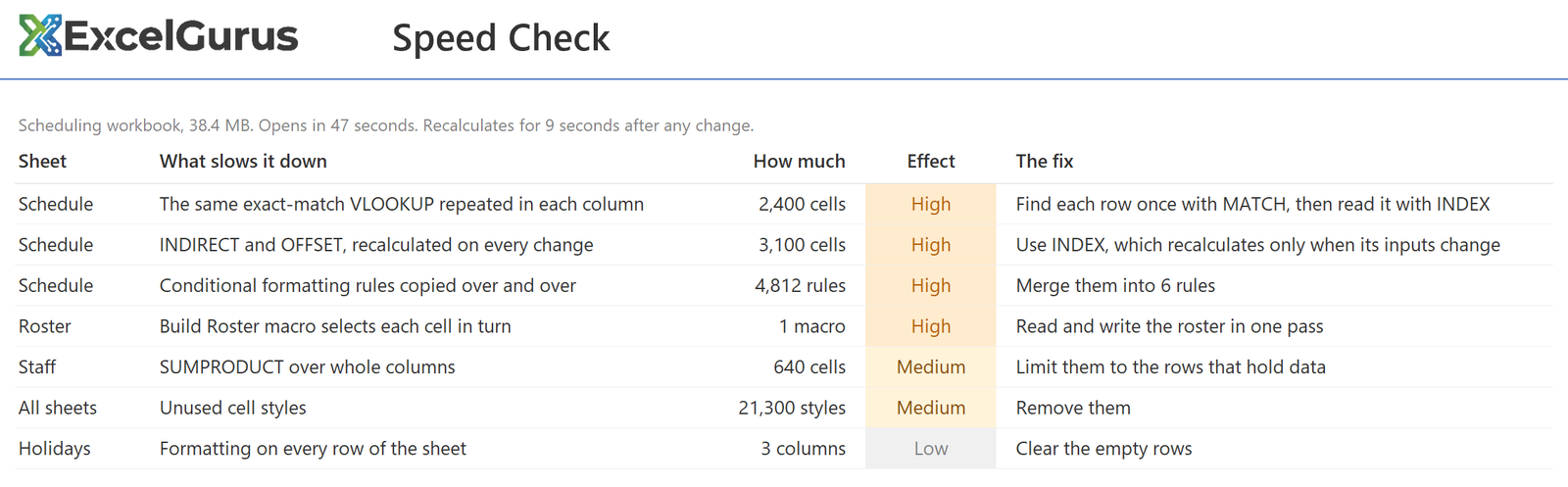
Then I fix those parts and leave everything else as it is.
1 Each row is looked up once instead of once per column, formulas are pointed at the rows that hold data, and functions that recalculate on every change are replaced with ones that recalculate only when their inputs change.
2 Duplicate formatting rules and unused styles are cleared out, which also makes the file smaller.
3 The macros are rewritten to read and write the data in one pass instead of cell by cell, so a run that took minutes usually takes seconds.
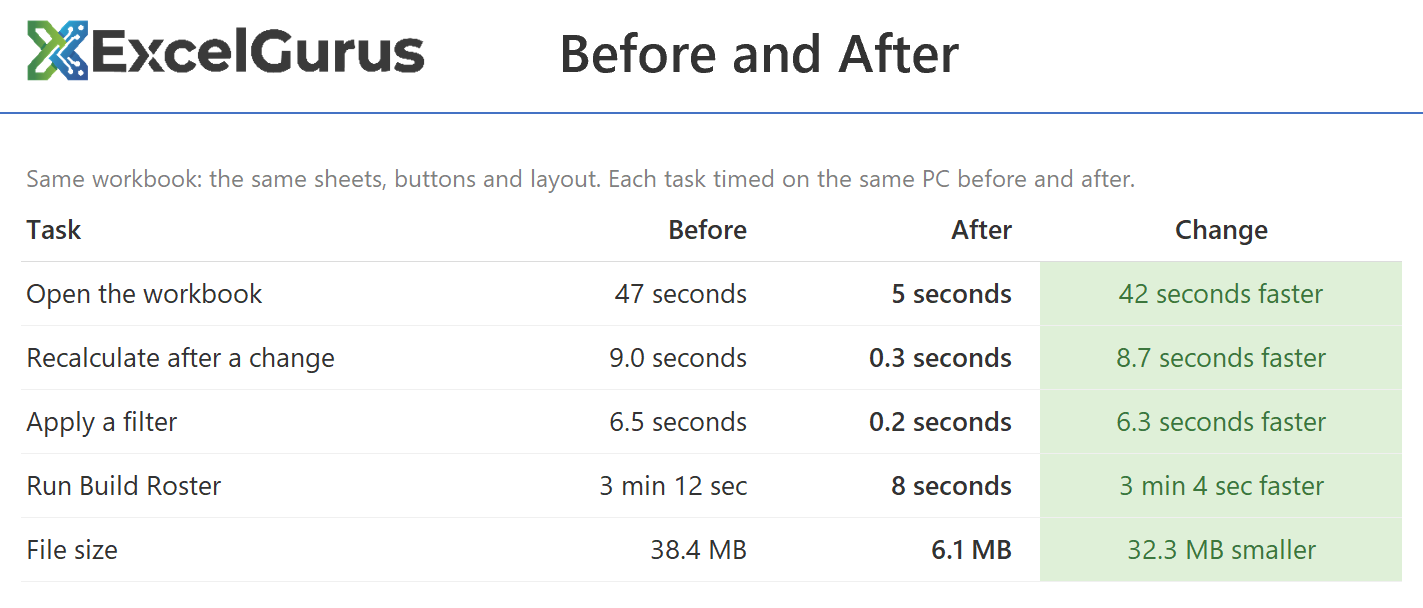
You get the same workbook back, with the same sheets, buttons and layout, plus a short list of what changed and the before and after timings, so you can see the difference for yourself.
To get started, describe your file below. Once I reply, you can send a copy of the workbook (sample data is fine).
Small fixes start at $69.
Every project gets a fixed-price quote before any work starts: the price you approve is the price you pay.