
PDF to Excel Conversion Service
ExcelGurus converts PDFs to Excel. For a PDF with real text, such as an invoice, a bank statement, a price list or a table, GuruFix shows a fixed price and the finished sheet before you pay, usually within minutes. Scanned paper, many files at once, and PDFs that arrive every week are done by David, an Excel VBA developer, at a fixed price you approve before any work starts.
Choose “Convert PDFs to Excel” when you describe the job.
A real run on a sample statement: 150 transactions, the balances checked, for $19.
Two ways to have it done
- Now, with GuruFix: a typed PDF of up to 50 pages, turned into one Excel sheet with one row per record and the columns you name. You see the price, then the sheet itself, before you pay.
- Done by David: scanned paper, a batch of many PDFs, or a workbook that converts each new batch for you, so nobody retypes PDF data again. You get a fixed-price quote first.
Step by step: a bank statement into Excel
1. Pick Convert PDFs to Excel and say how it should look
Name the columns you want and what one row is: one transaction, one item, one invoice line.
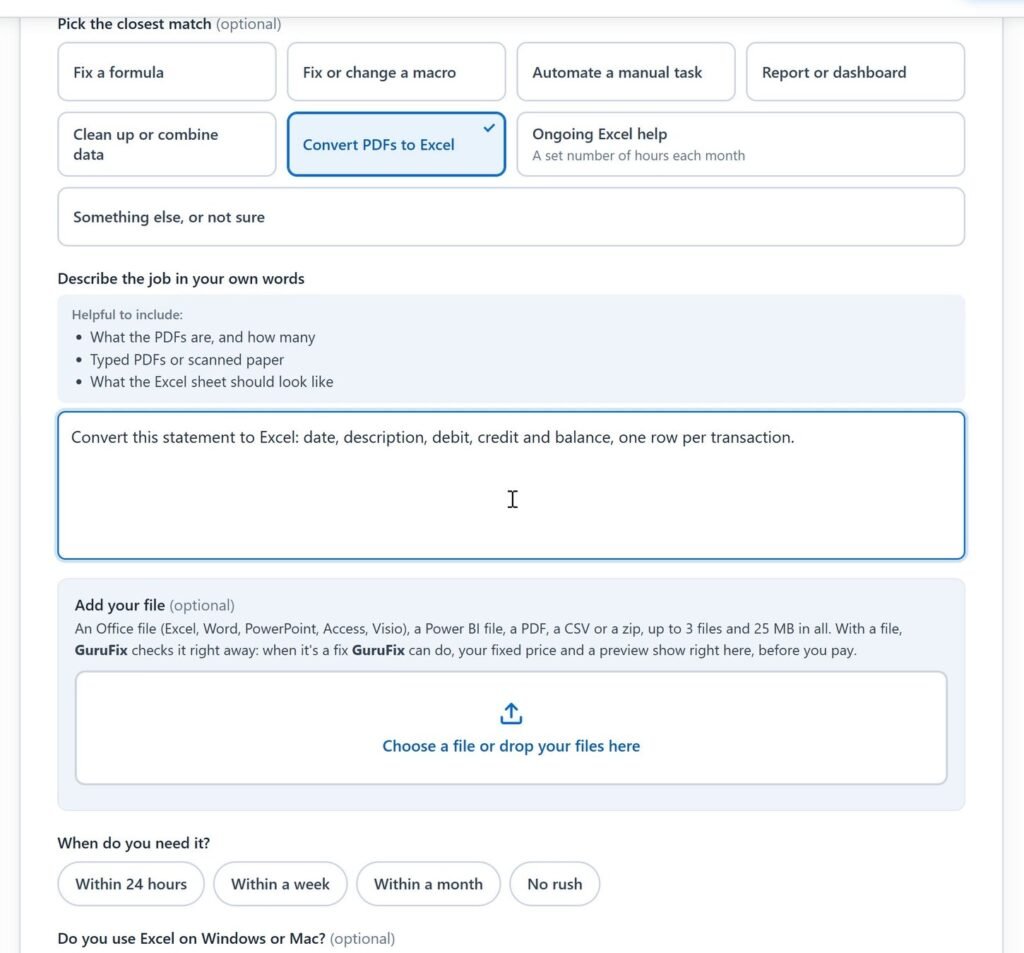
2. Add the PDF and send
Drop the PDF into the file box, then add your name and the email where the reply should go, and send.
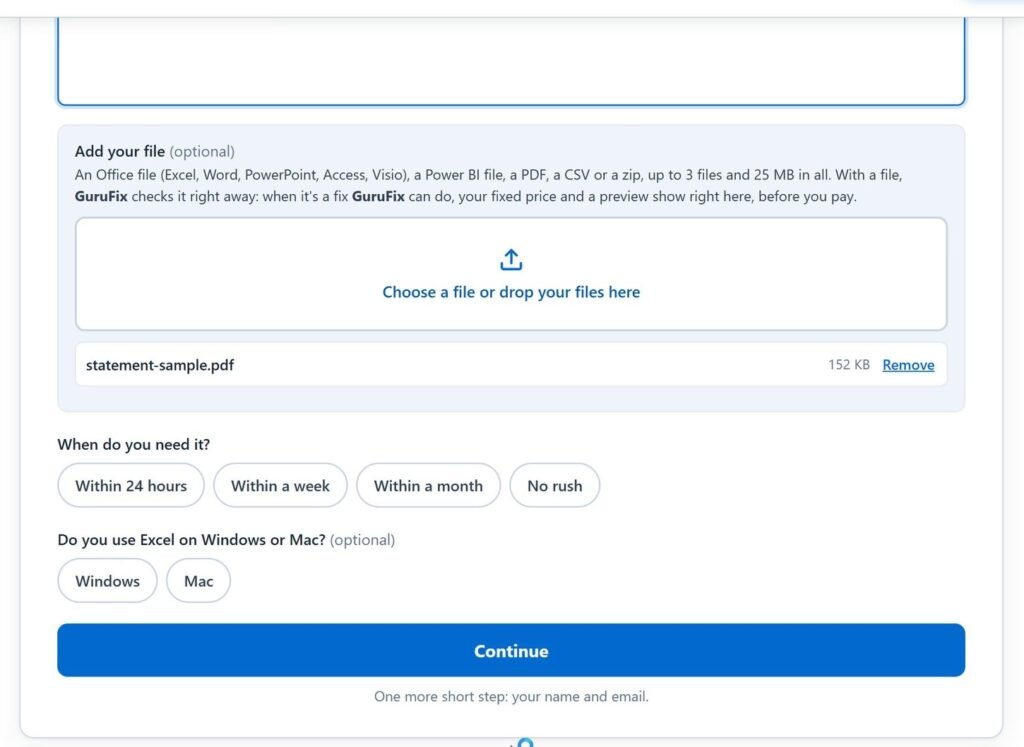
3. Read the plan and the fixed price
GuruFix describes the PDF (5 pages, 150 transactions: 107 withdrawals and 43 deposits), the sheet it will build, and a fixed price: $19 for this statement. Nothing is charged yet.
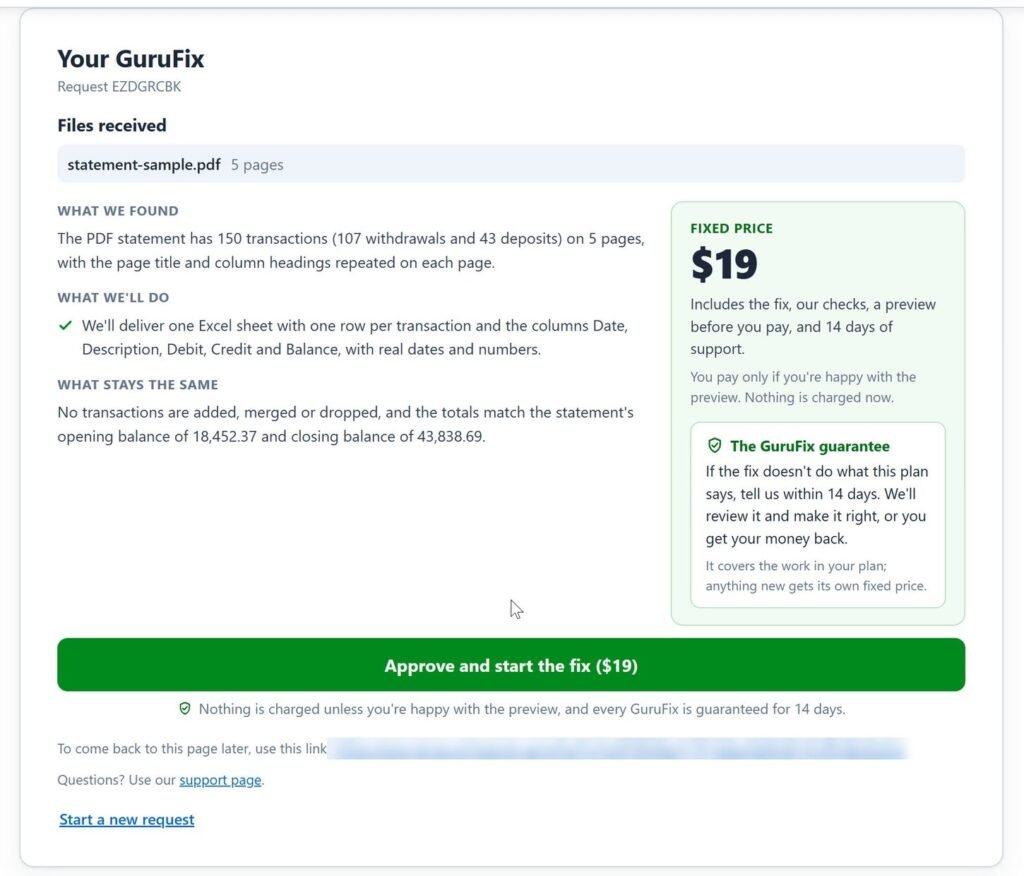
4. Approve, and the conversion runs
This one took about 40 seconds.
5. See the sheet before you pay
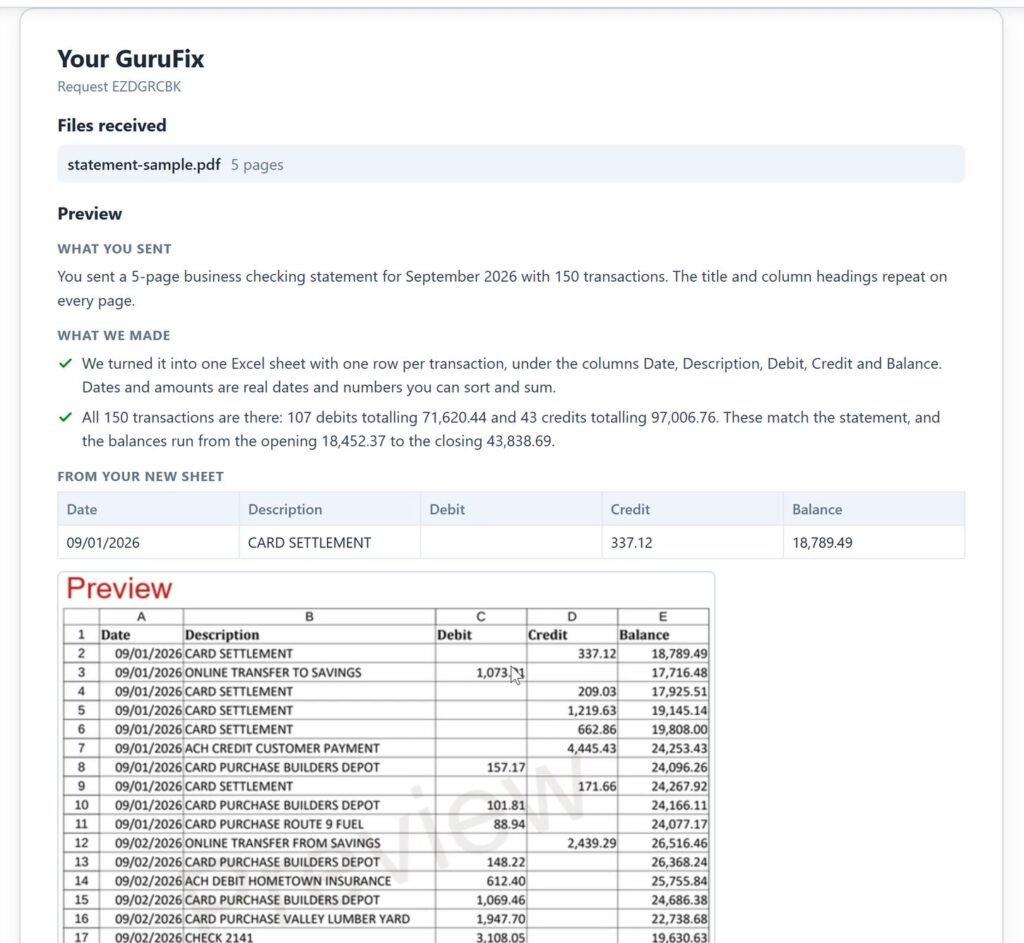
The preview says what you sent and what you get, checks the money (107 debits totaling 71,620.44 and 43 credits totaling 97,006.76, matching the statement, with the balances running from 18,452.37 to 43,838.69), and shows the first rows of your new sheet.
6. Pay and download
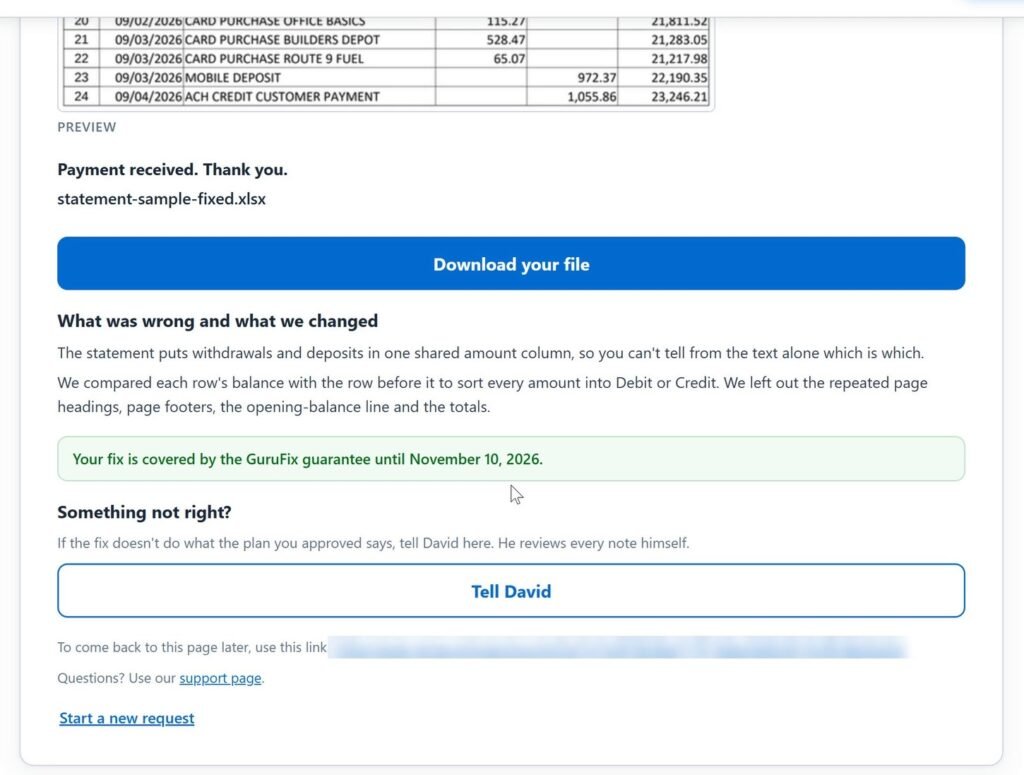
Pay the fixed price by card, then download the Excel file on the same page. The note explains the one tricky part: the statement put withdrawals and deposits in one amount column, so GuruFix compared each row’s balance with the row before to sort every amount into Debit or Credit. Every GuruFix is guaranteed: if the fixed file doesn’t do what the plan you approved says, tell us within 14 days of payment, and David reviews it personally and makes it right, or refunds you in full.
7. The result
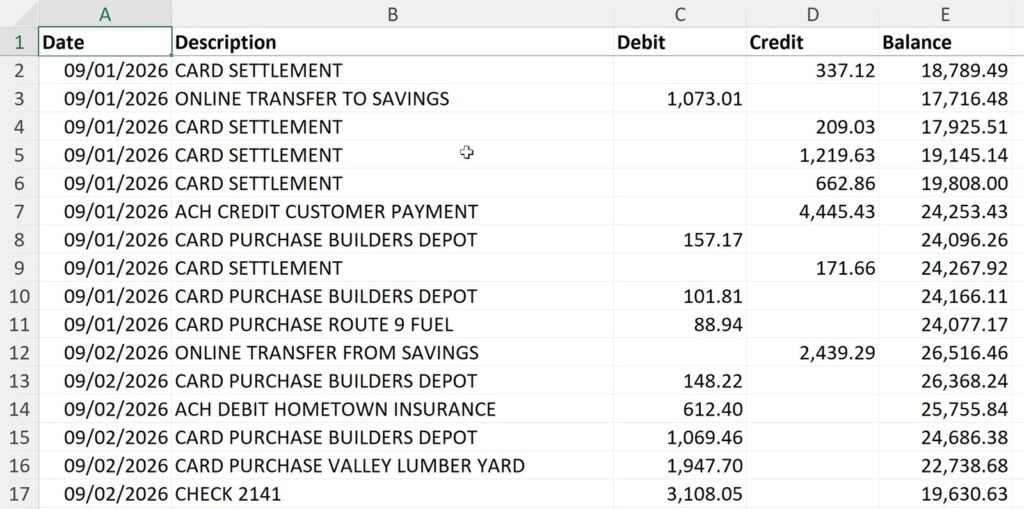
One row per transaction, with real dates and numbers you can sort and sum.
Another one: a supplier price list
Two pages, 60 items in six groups, turned into one sheet for $18.
What to tell us
- What the PDFs are, and how many
- Whether they are typed PDFs or scanned paper
- What the Excel sheet should look like
Attach the PDF to the request below. A copy with confidential data removed is fine.
Why not a free converter?
If a free converter gives you what you need, use it. They copy what is on the page. This service is for when you need the data in a particular layout, combined from many files, or turned into the same sheet every week.
What clients say
★★★★★
“highly professional and responsive. efficient and precise. will definitely work again with ExcelGurus.”
PDF Automation Client · via Freelancer, 2011
★★★★★
“Superb! Had a good understanding of my requirements, and what was achievable. Always asked appropriate, intelligent questions and was flexible enough to accommodate alterations as and when required. I would thoroughly recommend using David and look forward to working with him again when the need arises.”
Data Import Client · via Upwork, 2011
★★★★★
“Excellent in every way. Saved me so much time with his automation of my spreadsheets!”
Karyn M. · repeat client · via PeoplePerHour, 2011
5.0★ across 230+ client reviews on Upwork, PeoplePerHour and Freelancer · Read all the client reviews →
Common questions
How much does PDF to Excel conversion cost?
For a typed PDF of up to 50 pages, GuruFix works out a fixed price for your file and shows it before any work starts; the two in these videos came to $18 and $19. Scanned or larger jobs get a fixed-price quote from David. Either way you approve the price first.
Is this a converter app?
No. GuruFix reads your PDF and builds the sheet you describe, then shows it to you before you pay. Scanned paper and recurring batches are done by David as a service.
What should I send?
The PDF itself, attached to the request below, and a sentence on how the sheet should look.
Tell us about your PDFs
You approve a fixed price before any work starts.
Every project gets a fixed-price quote before any work starts: the price you approve is the price you pay.