
Clean and deduplicate your data directly in Excel
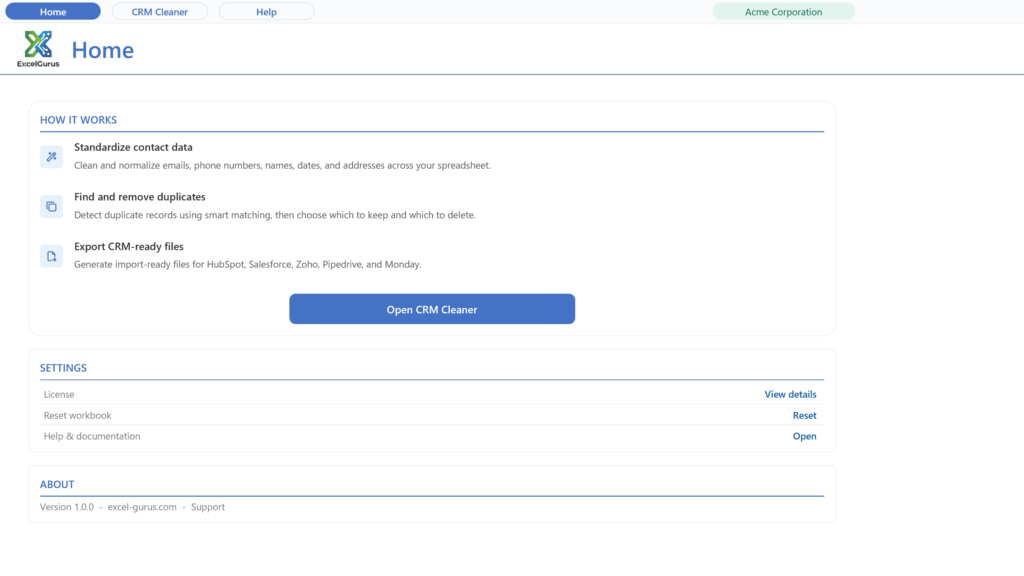
Excel Data Cleaner is a data cleaning tool that runs inside Excel on Windows, for messy contact and customer lists and CRM exports. It fixes names, email addresses, phone numbers, mailing addresses and dates, and finds duplicate records, without formulas or manual cleanup; you review and approve each fix. Try every feature free on up to 100 records. A license is $99 one-time, and each CRM exporter is $29.
The full tour, 3:48. A messy contact list, cleaned in the Excel you already have.
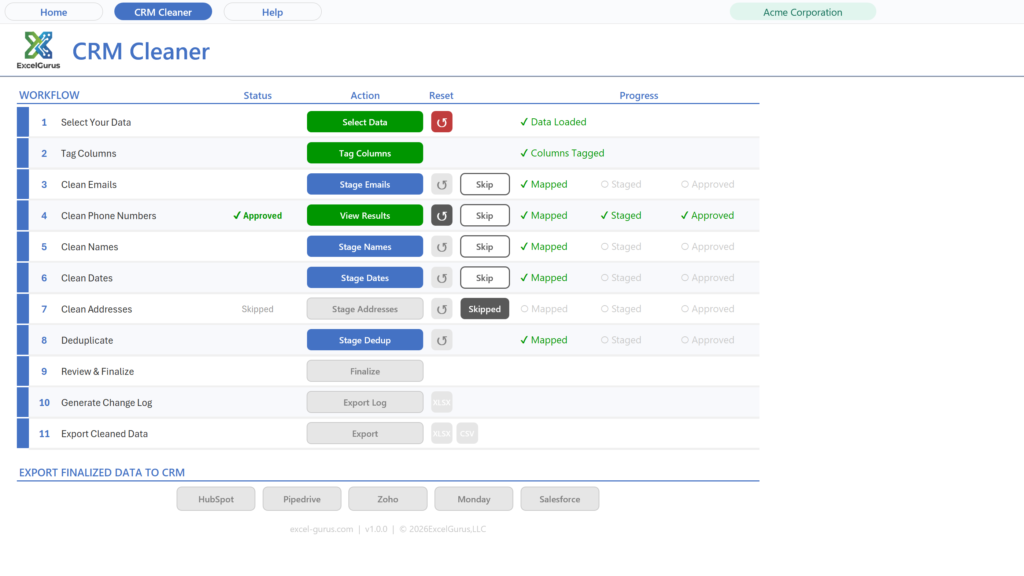
What the Excel Data Cleaner can clean
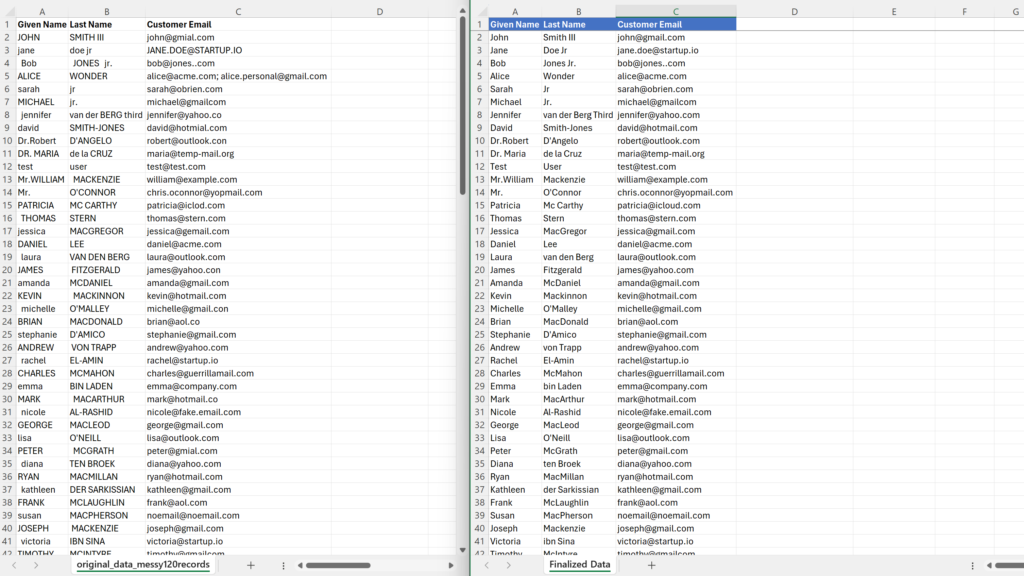
Use it with contact lists, customer records, mailing lists, CRM exports, and other Excel or CSV data. The tool suggests fixes wherever possible, and you review and approve each one.
Email addresses case, formatting, typos, fakes ▼
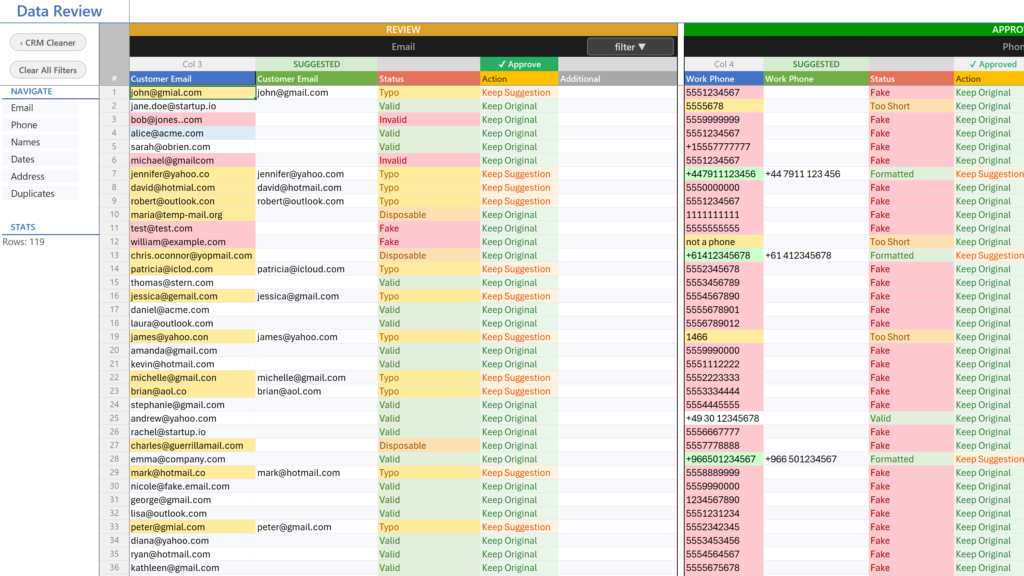
- Case and whitespace: lowercases addresses and removes stray spaces.
- Typo correction: recognizes 59 common domain misspellings across Gmail, Yahoo, Outlook, Hotmail, AOL, and iCloud.
- Format checks: flags malformed addresses with a missing @, missing domain, or invalid structure.
- Fake detection: catches placeholder entries such as test@test.com and asdf@asdf.com.
- Disposable detection: flags known throwaway inbox domains.
- Multiple addresses: keeps the first address and moves extras into their own column.
dg@gmial.com → dg@gmail.com (Typo)
sue@hotmial.com → sue@hotmail.com (Typo)
test@test.com → flagged Fake
bob@x.com; sue@y.com → bob@x.com + 1 more
Phone numbers 10-country formatting ▼
- Format styles: choose (555) 123-4567, 555-123-4567, 555.123.4567, or +15551234567.
- Default country: provides a fallback for numbers without a prefix; an existing Country column takes priority.
- Country-code column: optionally moves the detected country code into its own column.
5551234567 → 555.123.4567
5551234567 → +15551234567
+44 20 7946 0958 → CC: +44 | 020 7946 0958
Names case, split, merge, titles, suffixes ▼
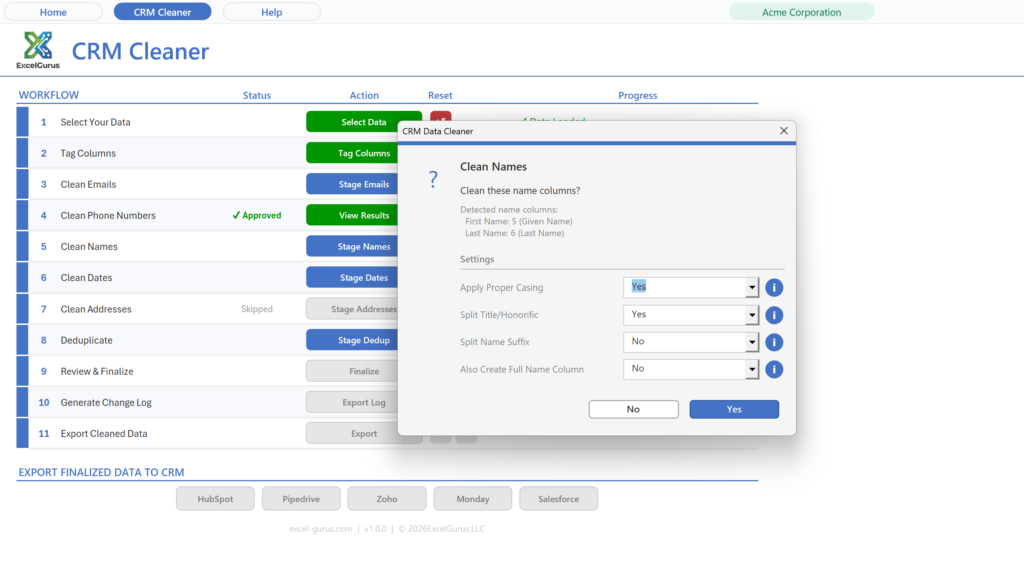
- Proper casing: fixes ALL CAPS or lowercase text, with the option to preserve intentional casing.
- Split full names: separates “Dr. Jane Smith III” into Title, First Name, Last Name, and Suffix columns.
- Merge name fields: combines First Name and Last Name into one Full Name column.
- Titles: recognizes Dr., Mr., Mrs., Ms., Miss, Prof., Rev., Hon., Sgt., Capt., and more.
- Suffixes: recognizes Jr., Sr., II, III, IV, Esq., PhD, MD, DDS, CPA, and more.
Dr. Jane Smith → Dr. | Jane | Smith
James Wilson III → James | Wilson | III
First: john + Last: SMITH → Full: John Smith
Dates auto-detect, reformat, time handling ▼
- Automatic detection: recognizes mixed input formats.
- Ambiguity control: select MDY, DMY, or YMD so a date such as 03/04/2024 is interpreted correctly.
- Output formats: choose YYYY-MM-DD, MM/DD/YYYY, DD/MM/YYYY, MM-DD-YYYY, or “March 15, 2024.”
- Time handling: remove the time, move it into its own column, or keep it with the date.
March 15, 2024 → 2024-03-15
15/03/2024 (DMY) → 2024-03-15
2024-03-15 14:30:00 → Date: 2024-03-15 | Time: 14:30:00
Mailing addresses parse, split, multiple formats ▼
- Output formats: use separate Street, City, State, and ZIP columns; a combined City-State-ZIP field; one full-address column; or normalization only.
- Apartment and unit splitting: moves Apt, Unit, Suite, Ste, #, Bldg, Floor, Rm, Dept, and similar values into a separate column.
- ZIP handling: retain a five-digit ZIP or preserve ZIP+4.
→ Street: 123 Main St Apt: 4B
→ City: Springfield State: IL
→ ZIP: 62704 (or 62704-1234)
or → single: 123 Main St Apt 4B, Springfield, IL 62704
Duplicate records find and remove by any field ▼
- Match any column: compare email addresses, phone numbers, names, or any other field in your file.
- Review matched groups: inspect related records together before removing anything.
- Keep one, remove the rest: retain one record and remove the extras using your selected match columns.
match on Phone → same number across rows grouped and deduplicated
Includes
- ✓ All Excel data-cleaning tools
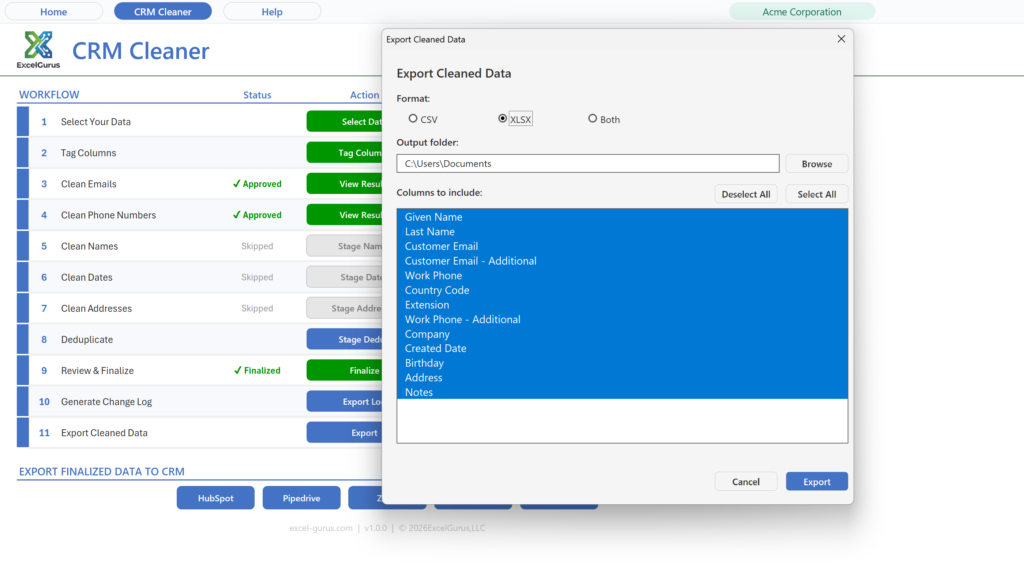
- ✓ Excel, CSV, and 5 CRM export options
- ✓ Find and remove duplicates
Limited to 100 records per file.
Download freeA signed setup program for Windows; the workbook on its own is one click away on the next page. What setup installs and how to uninstall it are set out under the plans, with the license agreement.
Windows PC required: why it does not run on Mac.
Unlimited
- ✓ Clean emails, phones, names, dates, and addresses
- ✓ Find and remove duplicate records
- ✓ Export cleaned data as Excel or CSV
Adds
- ✓ Validated, CRM-specific export format
- ✓ Avoid manual reformatting and failed imports
Adds
- ✓ Import-ready export formats for all 5 CRMs
- ✓ HubSpot, Salesforce, Zoho, Pipedrive, and monday
Best value if you work with more than one CRM.
Buy $179What the setup program does
Excel Data Cleaner is data-cleaning software that runs inside Microsoft Excel on Windows. It cleans names, emails, phone numbers, addresses and dates, removes duplicate records, and exports to Excel, CSV or a CRM import file. The free download (up to 100 records) is a setup program signed by ExcelGurus LLC that installs it as an Excel workbook (.xlsm).
- Installs the workbook and its icon in Documents\ExcelGurus\Excel Data Cleaner (you can choose another folder), Start menu shortcuts, a desktop shortcut you can untick, and its uninstaller and settings in your Windows user profile. When it finishes it opens the workbook, unless you untick that box.
- Excel setting: a box, ticked by default, adds that folder and its subfolders to Excel’s Trusted Locations, so the workbook normally opens with no macro warning. Untick it and Setup leaves Excel as it is.
- No administrator rights. It installs for your Windows user only. Needs Windows 10 or later and Excel for Windows (not Mac).
- Internet: Setup itself sends nothing. The workbook shows the license agreement again the first time it opens; once you accept it there, it tells our server that a copy has been opened, then checks in normally once a day when it is opened. These messages carry the product, its version, whether a license is active and anonymous identifiers, including a random installation ID that Setup keeps in your Windows user profile. They never carry anything from your spreadsheets (what is sent, and what a paid license adds).
- Uninstall in Windows Settings > Apps > Installed apps (Apps & features on Windows 10 and early Windows 11): find Excel Data Cleaner and choose Uninstall. It removes the Excel setting, the shortcuts and its own settings, and asks whether to delete the folder; No, the default, keeps your files.
Setup shows the license agreement before it installs anything. License agreement (EULA) and terms · Privacy Policy · Full uninstall steps
Already own the Excel Data Cleaner? Add CRM exporters from inside the app whenever you need them.
Questions before you start? Read the help guide or contact support.
Cleaning an export from a specific CRM?
Each guide covers the fields that CRM exports, the problems its files usually carry, and what its importer expects back.