
GSA TDR Due Dates, Zero-Sales Months and the 2026 Grace and Trial Periods
ExcelGurus is not affiliated with, endorsed by, or acting for the U.S. General Services Administration (GSA). This guide describes GSA’s published instructions as of MAS TDR User Guide v2.0 (September 2026), as read on October 22, 2026; GSA updates them, so check its current pages before you report. It is not legal or tax advice.
Each monthly GSA TDR report is due within 30 calendar days after the month ends: October sales are due November 30. Every month counts, including a month with no sales, which you report as zero sales by Form Entry in the FAS Sales Reporting Portal (SRP), the only way SRP takes a month of $0 in sales. SRP takes the months in order, so a missed month is reported before the next one. The Industrial Funding Fee (IFF) runs on its own clock: it is due within 30 calendar days after each quarter, unless you choose to pay it monthly. GSA’s 2026 grace period (for contracts whose TDR effective date is on or after October 1, 2025) and its trial period (for six newer data fields, on every contract) both run from July 1 to December 31, 2026, and cover good-faith errors in the data fields only, never a missing report or a late fee. EG TDR Reporter shows the next report due, with the days left, on its Home page.
The monthly due date
GSA’s rule is 30 calendar days after the end of each month, and its own example is October sales due November 30. The clause behind TDR, GSAR 552.238-80 in the text acquisition.gov publishes (its Alternate I of May 2023; GSA’s own pages cite a December 2025 GSAR deviation of it), says the same, and SRP’s FAQs call it a 30-day window to report after the end of the month. Count the 30 days from the month’s last day:
| Sales month | Report due |
|---|---|
| September 2026 | October 30, 2026 |
| October 2026 | November 30, 2026 |
| November 2026 | December 30, 2026 |
| December 2026 | January 30, 2027 |
| January 2027 | March 2, 2027 |
| February 2027 | March 30, 2027 |
| March 2027 | April 30, 2027 |
| April 2027 | May 30, 2027 |
| May 2027 | June 30, 2027 |
| June 2027 | July 30, 2027 |
| July 2027 | August 30, 2027 |
| August 2027 | September 30, 2027 |
Because the count runs from the month’s last day, a short February moves the January report into March: January 2027 sales are due March 2, 2027.
Which month a sale belongs to depends on your reporting basis. You report by invoice date or by payment date, whichever fits your accounting, and use the same one every month. So an invoice dated October 30 and paid November 12 is an October sale for a contractor who reports by invoice date, and a November sale for one who reports by payment date.
SRP’s FAQs say a month of zero sales must be reported within the 30-day period to avoid delinquency status. They also say that “all reports become delinquent once they have reached 30 days after the due date”, when SRP sends a data delinquency notification. Work to the 30-day date either way: it is the date GSA’s Help with TDR page and the clause give. The clause also names failing to submit the required reports as sufficient cause for the Government to terminate the contract for cause.
In EG TDR Reporter, Home shows the next report due with its contract, its due date (the month’s last day plus 30 days) and the days left, in amber when it is a week away and in red when it is late.
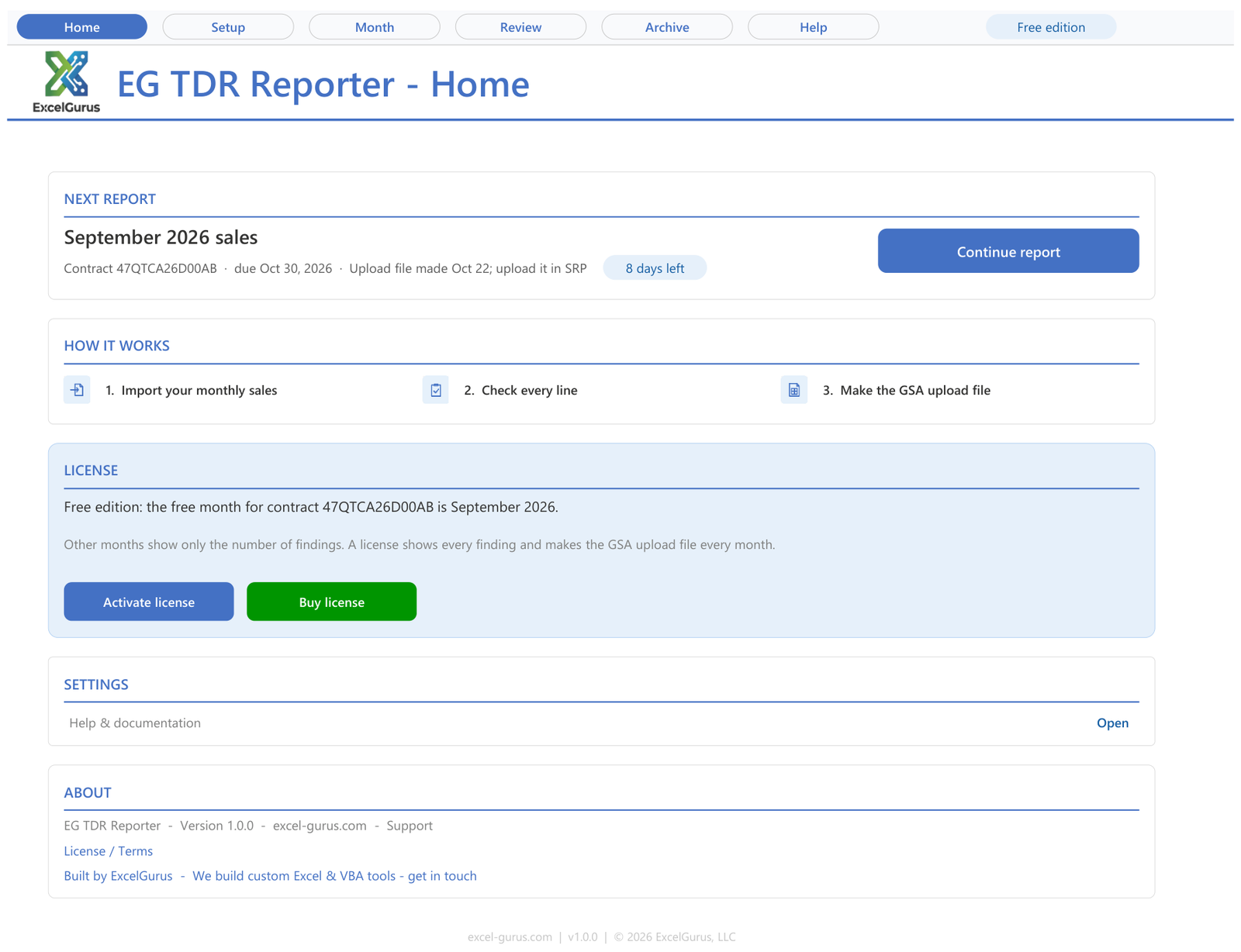
Home shows the month’s upload file still to upload in SRP, its due date and the days left. Screen from EG TDR Reporter, the Excel workbook that prepares and checks this file, with sample data.
A month with no sales
A month without sales is still reported. The clause asks for a confirmation of no reportable transactional data within the same 30 calendar days, and SRP’s Data Reporting Options page says the only way to report $0 in sales is Form Entry, not a file. In SRP:
- Choose Reporting, Form Entry, and pick the contract. SRP fills in the reporting period with the last outstanding month.
- Choose Yes for zero sales.
- Submit the report, tick the box that affirms the data is accurate, and confirm. The reporting status then reads Submitted.
The obligation runs to the end of the contract’s work: the clause asks for reports, zero months included, through physical completion of the last outstanding task order. SRP’s FAQs add that after a contract’s expiration date you report the months in which you have sales, not every month. If a month reported as zero later turns out to have had sales, it is corrected under Adjust Data, where you change the zero sales answer and upload the month’s file. Correcting a report covers it.
In EG TDR Reporter, a past month with no rows has a “No sales in” link on its Month page (No sales in August, for example). It asks whether you reported the month as zero sales in SRP, makes no file, and the Archive lists the month as “No file: zero sales (by Form Entry in SRP)”. If you run the checks on a month with no rows, the Block “No sales to report” says the same: report zero sales by Form Entry, then mark the month.
Missed months come first
SRP takes reports in chronological order. Form Entry fills in the last outstanding month and will not take a later month until every earlier one is reported, and a file upload that includes a contract with an earlier month unreported is rejected. If you are behind, report each missed month on its own, as zero sales where there were none, before the current month. Several contracts can share one upload file only when they are on the same reporting period.
EG TDR Reporter holds back a month’s file while an earlier month of the contract is neither reported nor has its file made, and warns when an earlier month’s file is made but not yet marked uploaded. If you reported earlier months in SRP before you started with the workbook, you set the first month you report in it on Setup, and the check starts there.
The IFF is due by the quarter
The fee has dates of its own. GSA requires the IFF to be remitted quarterly, within 30 calendar days after the last day of the quarter, and lets you pay monthly when you report if you prefer. SRP sends a reminder before the payment deadline. For each quarter:
| Quarter | IFF due |
|---|---|
| July to September 2026 | October 30, 2026 |
| October to December 2026 | January 30, 2027 |
| January to March 2027 | April 30, 2027 |
| April to June 2027 | July 30, 2027 |
| July to September 2027 | October 30, 2027 |
The report for a quarter’s last month and that quarter’s IFF fall due on the same day: December 2026 sales and the October to December 2026 fee are both due January 30, 2027. The IFF guide covers the rate, how SRP figures the fee and how to pay it.
GSA’s 2026 grace and trial periods
GSA set two temporary periods to help contractors adapt to TDR. They cover different things and run over the same dates:
| Grace period | Trial period | |
|---|---|---|
| Covers | Contracts with a TDR effective date on or after October 1, 2025. | Every TDR contract, whatever its TDR effective date. |
| For | Becoming familiar with the monthly reporting cadence and the TDR data fields. | Six newly required data fields: Federal Customer (all offerings), UCID (items in the FCP Services Plus File), Cloud Service Type (SIN 518210C), and Order Date, Ship Date and ZIP Code Shipped To (products). |
| Runs | July 1 to December 31, 2026. | July 1 to December 31, 2026. |
For a services contract, the trial period’s fields that apply are Federal Customer, UCID and Cloud Service Type. During both periods GSA will not take enforcement action for good-faith errors made when entering the required data fields. You may still receive system-generated compliance flags by email that point out discrepancies, and GSA expects you to use them to correct your data and your process. The relief covers the formatting and filling of data fields only, and it does not waive four obligations:
- reporting all sales every month, zero sales included;
- completing the required TDR data fields that apply;
- remitting the full and correct IFF on time;
- avoiding any intentional misrepresentation of sales data.
After December 31, 2026, your contracting officer can take enforcement action. Three more fields, order type, worksite and order discount, are to come later, and the User Guide says every contract will get a six-month trial period for them from the date they are implemented.
Common questions
When is the December 2026 report due?
January 30, 2027: 30 calendar days after December 31. The IFF for October to December 2026 is due the same day, unless you already paid it month by month.
Do I have to report a month with no sales?
Yes. Report it as zero sales by Form Entry in SRP within the same 30 days. Form Entry is the only way SRP takes a month of zero sales, and SRP will not take a later month while an earlier one is unreported.
Does the grace period let me skip or delay a report?
No. GSA’s 2026 grace and trial periods cover good-faith errors in the data fields. They do not waive reporting every month, zero months included, completing the required fields, or paying the full IFF on time, and after December 31, 2026 your contracting officer can take enforcement action.
Check every row before it reaches SRP
EG TDR Reporter prepares and checks each month’s upload file and keeps track of the calendar: Home shows the next report due with the days left, a month with no sales is recorded with one click once you report it by Form Entry in SRP, and a month’s file waits while an earlier month is not reported. Each GSA contract gets one free month, the first month you check, with every finding and the GSA upload file.
See EG TDR ReporterOne free month per GSA contract, no card needed. Excel for Windows.
Sources
GSA’s own pages, as read on October 22, 2026. They change; the current versions are the ones that count.
- GSA, Help with Transactional Data Reporting (www.gsa.gov), last updated Oct 8, 2026: monthly reporting, the grace and trial periods, the Industrial Funding Fee
- GSA, Multiple Award Schedule TDR User Guide, Version 2.0 (PDF) (www.gsa.gov), updated September 2026: sections 2.2 and 2.3
- GSAR 552.238-80, Industrial Funding Fee and Sales Reporting, with its Alternate I (www.acquisition.gov), Alternate I (May 2023), paragraphs (b)(3), (b)(7), (b)(8), (c)(4) and (d)
- SRP user guide, Data Reporting Options (srp.fas.gsa.gov)
- SRP user guide, Report Data by Form Entry (srp.fas.gsa.gov)
- SRP user guide, Report Data by File Upload (srp.fas.gsa.gov)
- SRP user guide, Adjust Data by File Upload (srp.fas.gsa.gov)
- SRP user guide, Fee Payments Overview (srp.fas.gsa.gov)
- SRP FAQs (srp.fas.gsa.gov), Business FAQs 4 and 7; System FAQs 10, 11, 14, 16, 17, 19 and 21
More in this series: How to Prepare Your Monthly GSA Sales Reporting (TDR) Upload File · The GSA Industrial Funding Fee (IFF): Rate, How It Is Figured, When and How to Pay · GSA SRP: Form Entry, Excel Upload or CSV, and Keeping Your Access · All GSA Sales Reporting guides
★★★★★
“Most likely one of the best freelancers I’ve had the opportunity of working with. I would highly recommend David for any complex VBA coding. We’ll be working with him again in the future.”
VBA Development Client · via Upwork, 2020
5.0★ across 230+ client reviews · 100% Job Success on Upwork · Building Excel tools since 2010 · Read the reviews →