
E-commerce-style checkout with step indicator, live cart summary, and promo code support.
What this form does
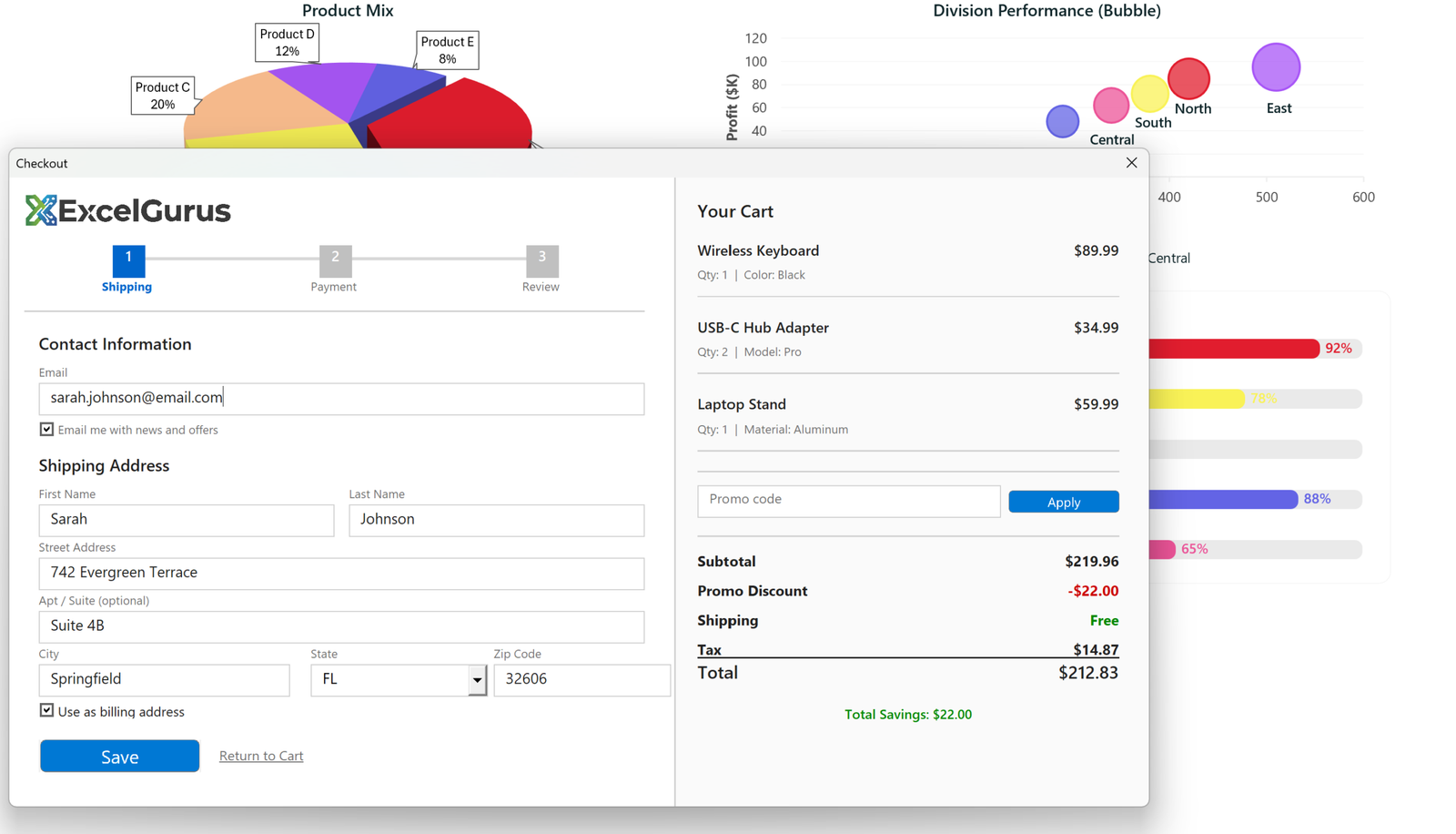
A two-panel checkout: address entry on the left, a live order summary on the right. A step indicator across the top shows where the user is in a three-stage process, and the totals panel recalculates as a promo code is applied.
The step indicator is Labels and rules

Each numbered box is a Label with a background color and a centered caption. The connecting lines between them are also Labels, two points high, with their width calculated as the distance between the step positions minus a small gap at each end.
The positions come from an array rather than being typed in, so the same routine draws three steps or five. Marking a step complete is a color change on two controls, which is why the current step reads blue and the others gray.
A totals panel that is not a spreadsheet range
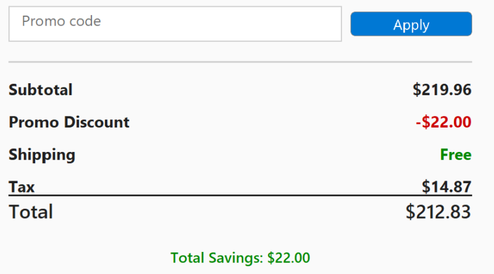
Every line here is a pair of Labels, the description aligned left and the figure aligned right to a fixed edge, so the numbers line up regardless of how long the description is. The discount takes a red foreground, free shipping green, and the rule above the total is another zero-height Label with a background color.
Doing this on a worksheet would mean merged cells and borders that break when a column is resized. On a form the layout is fixed and cannot be disturbed by the user.
How the form is built
As with the other forms here, the controls are created in code at runtime rather than dragged into the designer, with colors and sizes taken from constants. That is what makes a layout of this density practical to maintain: the alignment rules are arithmetic, not dozens of hand-positioned controls.
About this example
This is a demonstration build using sample data. It represents a typical system that our clients ask us to build for them, produced entirely in Excel and VBA so that every part of it can be rebuilt from scratch on demand.
Who it suits
Order entry, quoting and booking processes where the person entering data needs to see the running total as they work, and where a multi-step flow prevents half-finished records being saved.
Two-panel layouts work for any process where users enter data on one side and see results on the other. Tell us about your workflow. → Get Excel Help