
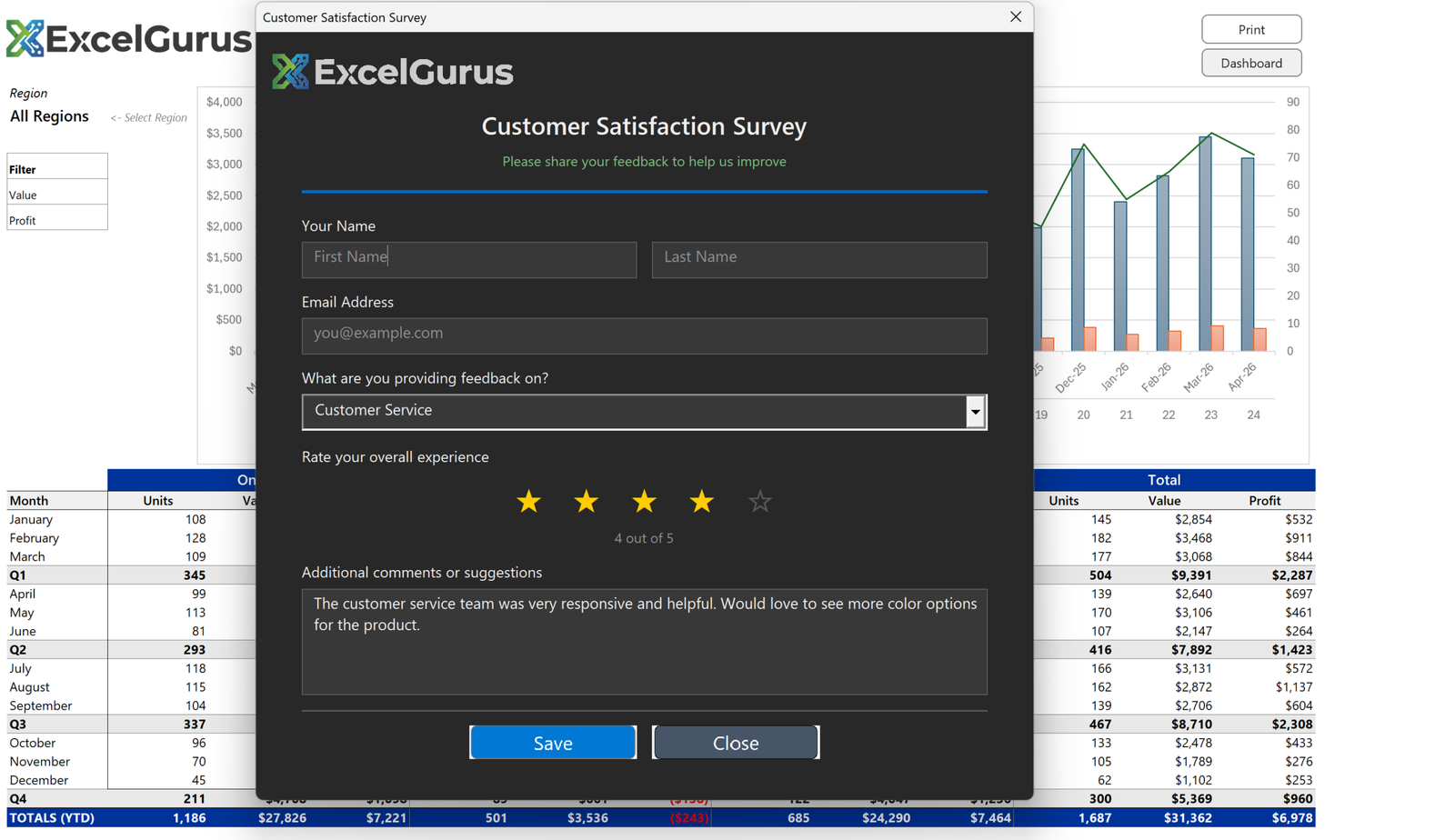
Dark-themed survey form with interactive star ratings and a modern, app-like interface.
What this form does
A feedback form with name and email fields, a category dropdown, a five star rating and a comments box, presented on a dark background rather than the default gray. Everything a respondent enters goes back to a worksheet.
The stars are five Labels

There is no rating control in MSForms. Each star is a Label created in a loop, holding a star character, with its own click handler. Clicking the third star sets the score to three and repaints all five: those at or below the score take the gold color, the rest take gray.
Because they are characters rather than images, the stars stay sharp at any size and switching state is a single color assignment rather than swapping a picture.
Placeholder text, which MSForms does not have
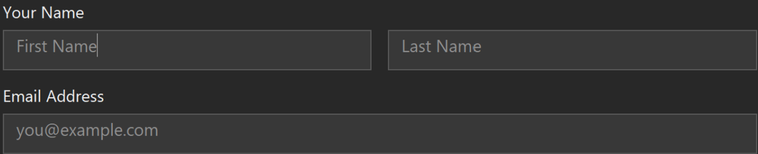
A TextBox in VBA has no placeholder property. The hint text is written into the box as an actual value in gray, then cleared on Enter and put back on Exit if the user left the field empty. The color switches to white when it holds real input, so hint and content never look the same.
It is a small thing, and it is the difference between a form that looks like a modern web form and one that looks like a 1990s dialog.
The dark theme is per-control
MSForms has no theme. Every control’s BackColor and ForeColor is set individually as it is created, from constants defined at the top of the module. The whole form is built in code for this reason: a dark theme applied by hand through the designer would be dozens of manual property changes, and impossible to adjust afterwards without repeating them all.
About this example
This is a demonstration build using sample data. It represents a typical system that our clients ask us to build for them, produced entirely in Excel and VBA so that every part of it can be rebuilt from scratch on demand.
Who it suits
Internal feedback collection where a web form is overkill or the data has to stay inside the business. Responses land in a sheet ready to analyze, with no third-party service holding them.
Surveys, intake forms, data collection tools: if your team needs to input data, we can build an interface that makes it effortless. → Get Excel Help