
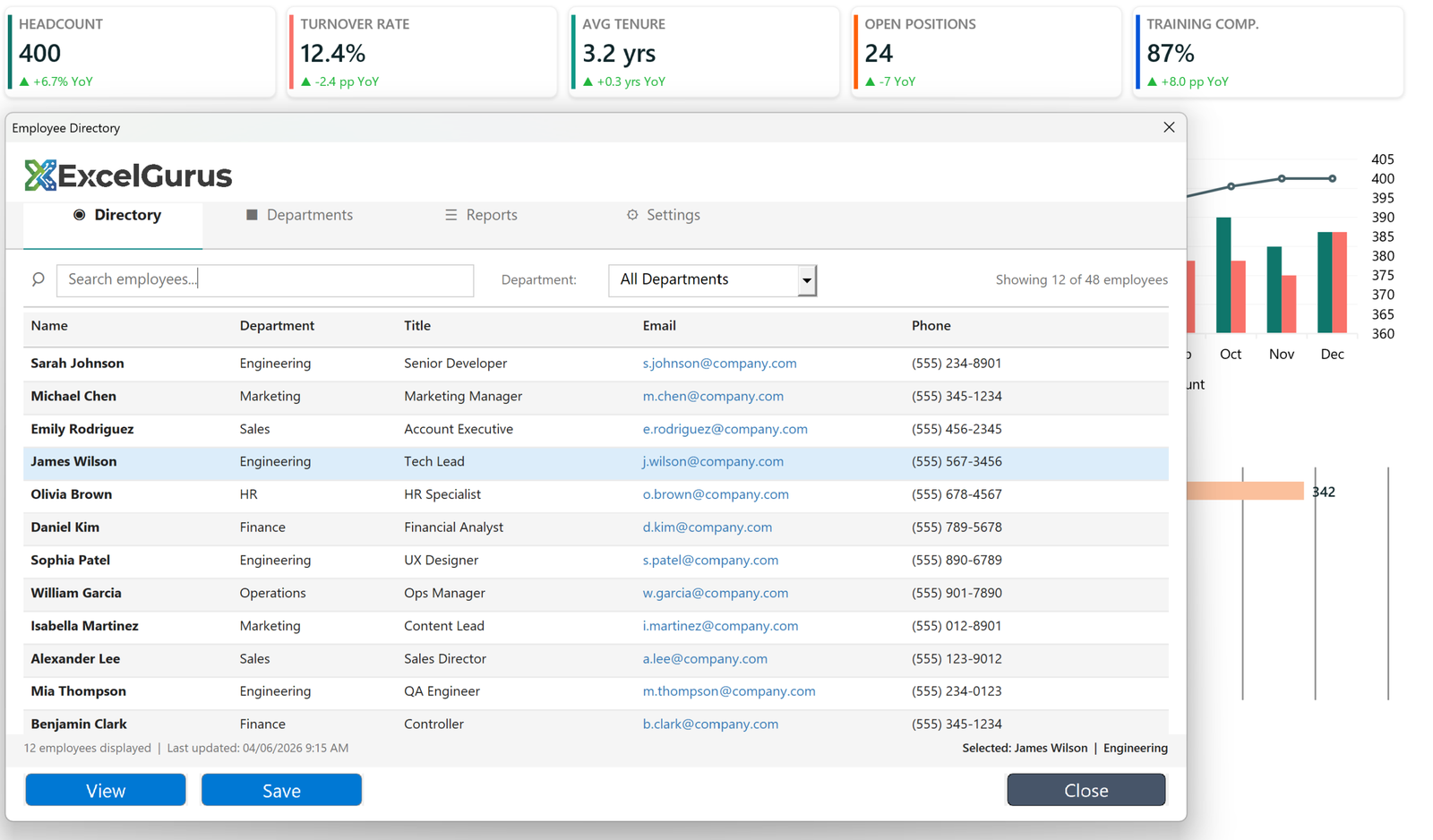
Searchable employee directory with data grid, department filtering, and tab-based navigation.
What this form does
A searchable employee directory with tab navigation across the top, a search box and a department filter, and a data grid showing name, department, title, email and phone. Typing in the search box narrows the list, and the footer reports how many records are showing out of the total.
The grid is not a ListBox

This is the part worth knowing. A standard MSForms ListBox can show columns, but it cannot shade alternate rows, color one field differently from another, or highlight a row on its own terms. So the grid is built from Labels: one background Label per row for the shading and selection color, then a Label per cell positioned at fixed column offsets.
That is what produces the zebra striping, the blue email addresses among black text, and the highlighted selected row. It is more code than a ListBox, and it is the only way to get this from VBA.
Tabs that MSForms does not provide

VBA has a MultiPage control, but it looks like Windows 95. These tabs are Labels: a background Label per tab, an icon character such as ChrW(9673) or ChrW(9776) for the hamburger, a caption, and a colored underline Label that moves to whichever tab is active.
The tab names come from an array and are drawn in a loop, so adding a fifth tab is a one-line change.
Filtering is a rebuild, not a hide
There is no way to hide a Label, so filtering does not hide rows. The search text and department are read, the matching records are collected, and the grid rows are rewritten in place. Rows beyond the match count are blanked out. This keeps the row controls stable, which matters because creating and destroying controls repeatedly is slow and can flicker.
About this example
This is a demonstration build using sample data. It represents a typical system that our clients ask us to build for them, produced entirely in Excel and VBA so that every part of it can be rebuilt from scratch on demand.
Who it suits
Any lookup that people currently do with Ctrl+F on a wide sheet. A directory form gives search and filtering without exposing the underlying data to accidental edits.
Employee directories, product catalogs, inventory lookups: if your team needs to search and browse data, we can build a clean interface for it. → Get Excel Help