
Fix an Excel Macro That Stopped Working, with GuruFix
To fix an Excel macro with GuruFix, pick Fix or change a macro, say what changed or what the button should do, and add the workbook. GuruFix finds the macro, makes the change, checks that the code compiles, and shows you what changed before you pay. Your macros never run while GuruFix works.
A real run on a sample file: run-time error 9 after a renamed tab, fixed for $7.
Step by step
1. The problem
The Make weekly report button stops with run-time error 9, Subscript out of range. The Hours tab was renamed Timesheet, and the macro still looks for Hours.
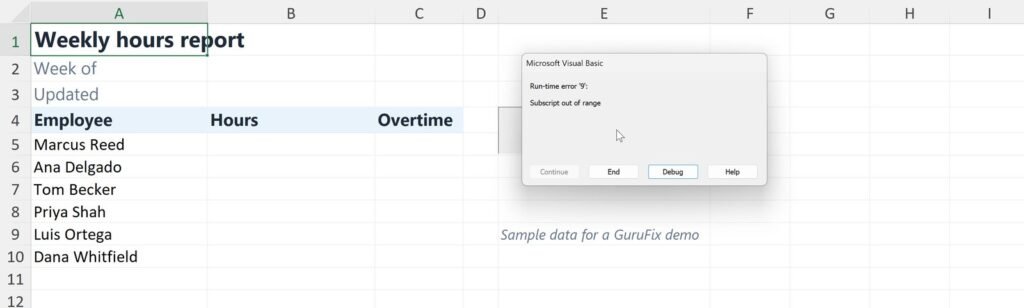
2. Pick Fix or change a macro and describe it
Say what changed and what the button should do. The error message word for word helps; you don’t need to open the code.
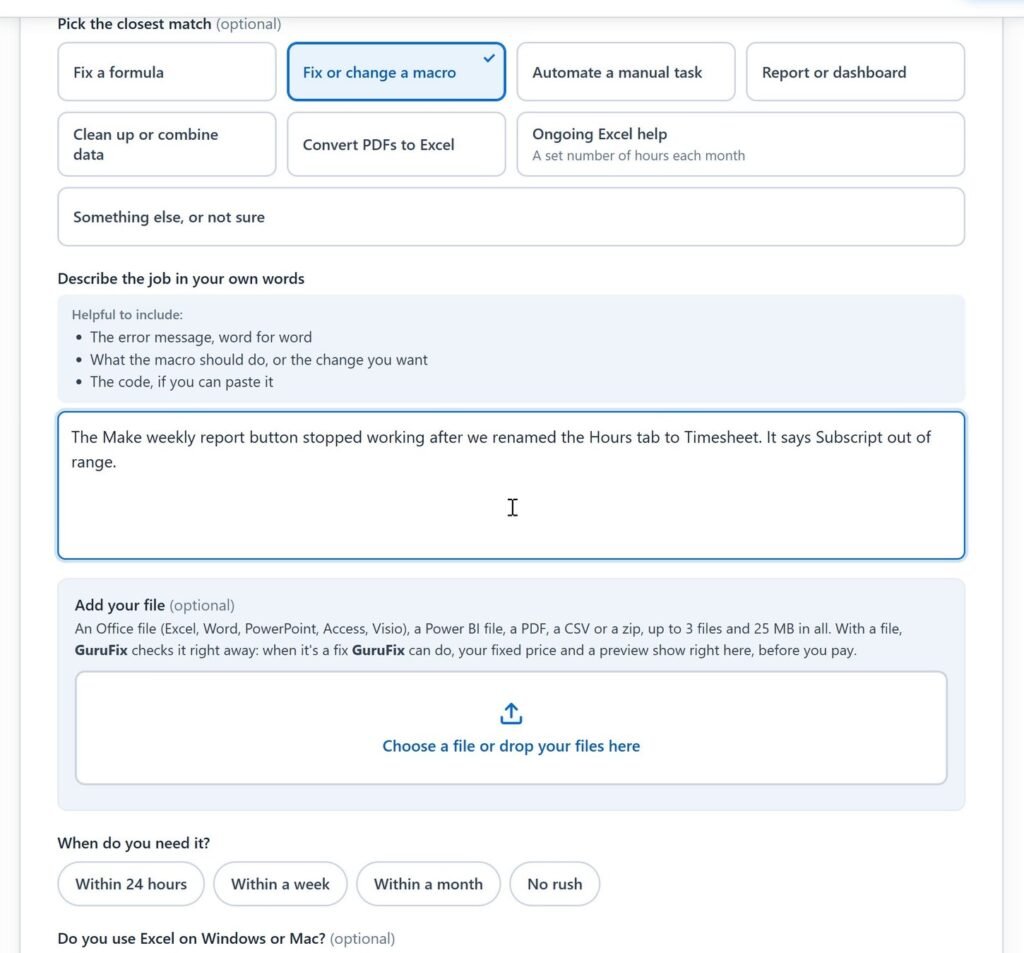
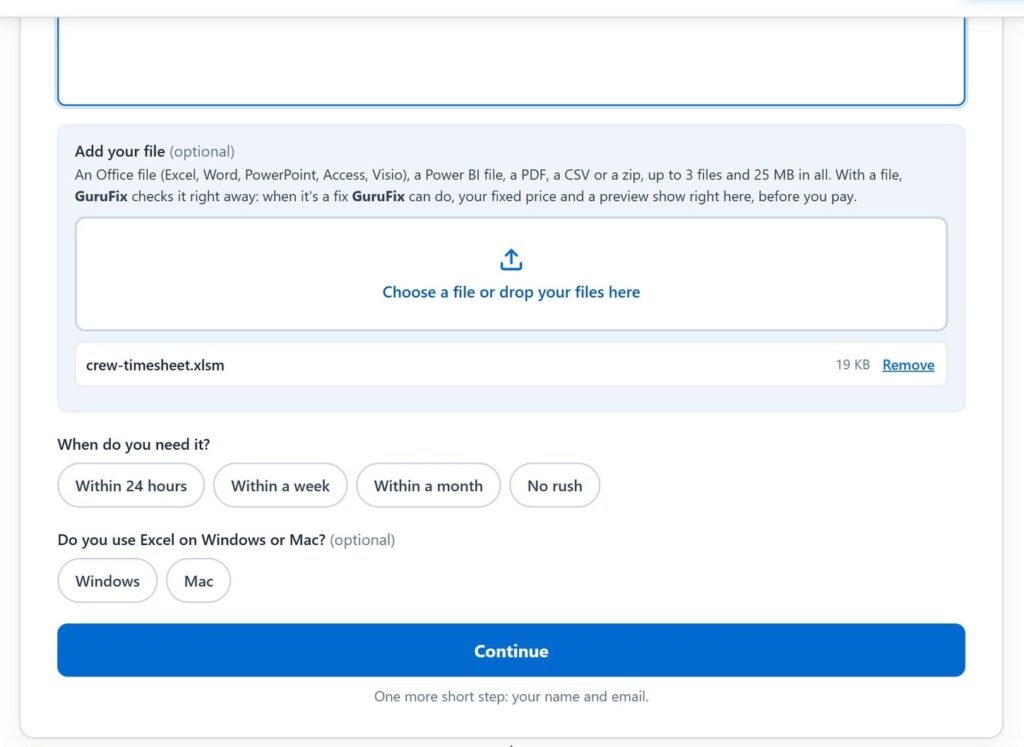
3. Add the workbook and send
Drop in the macro workbook (.xlsm). Then add your name and the email where the reply should go, and send.
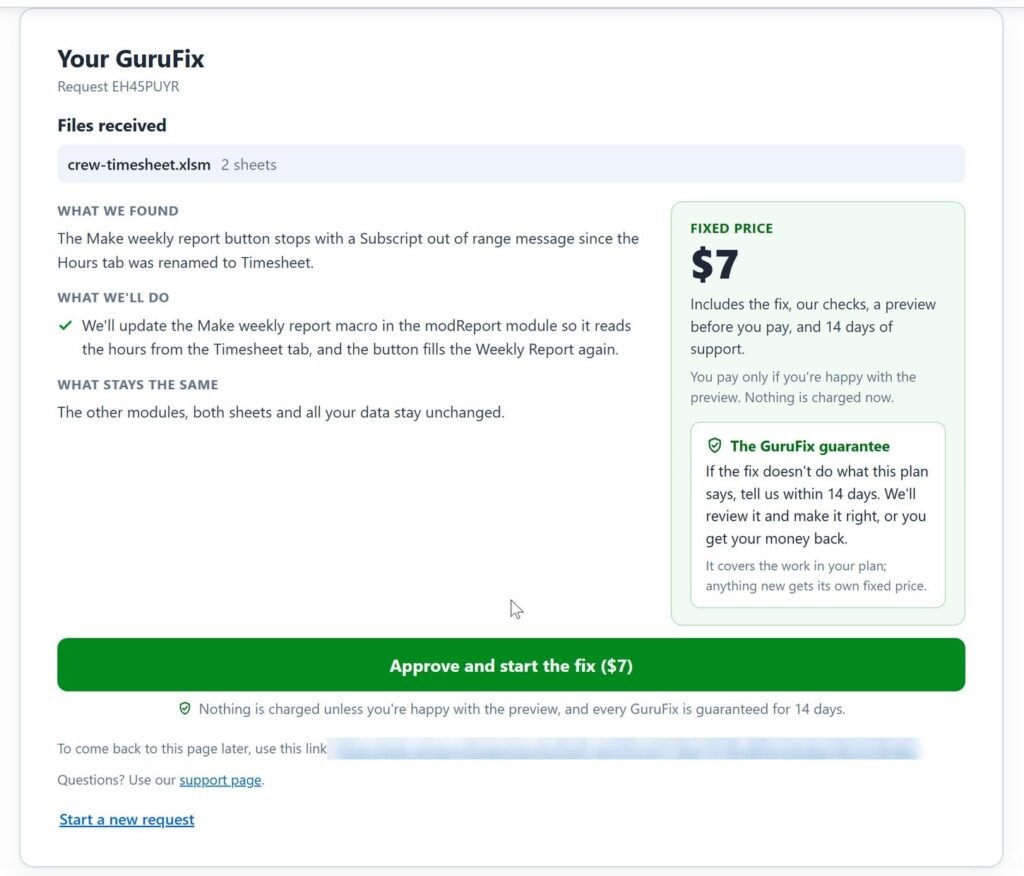
4. Read the plan and the fixed price
GuruFix names the macro it will change, says what stays the same, and gives a fixed price: $7 for this file. Nothing is charged yet.
5. Approve, and the fix runs
GuruFix changes the macro and checks that the code compiles. This one took about 20 seconds.
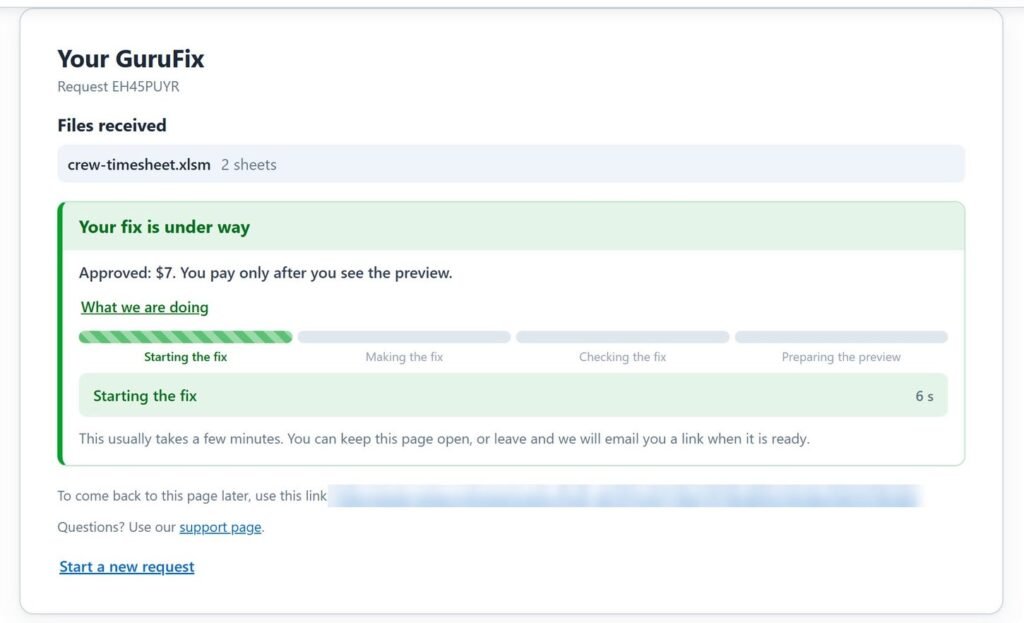
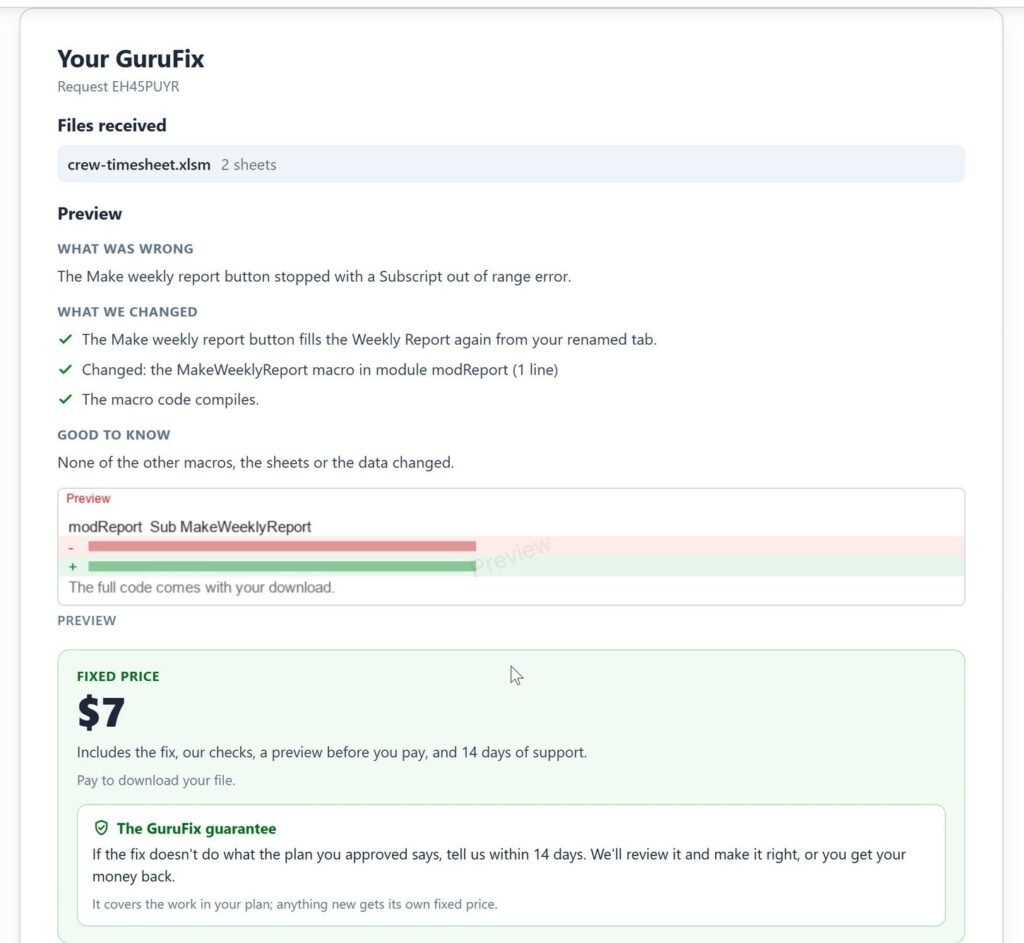
6. See the fix before you pay
The preview names the macro that changed and how many lines (one here), confirms that the code compiles, and says that nothing else changed: not the other macros, not the sheets, not the data. The code itself comes with your download.
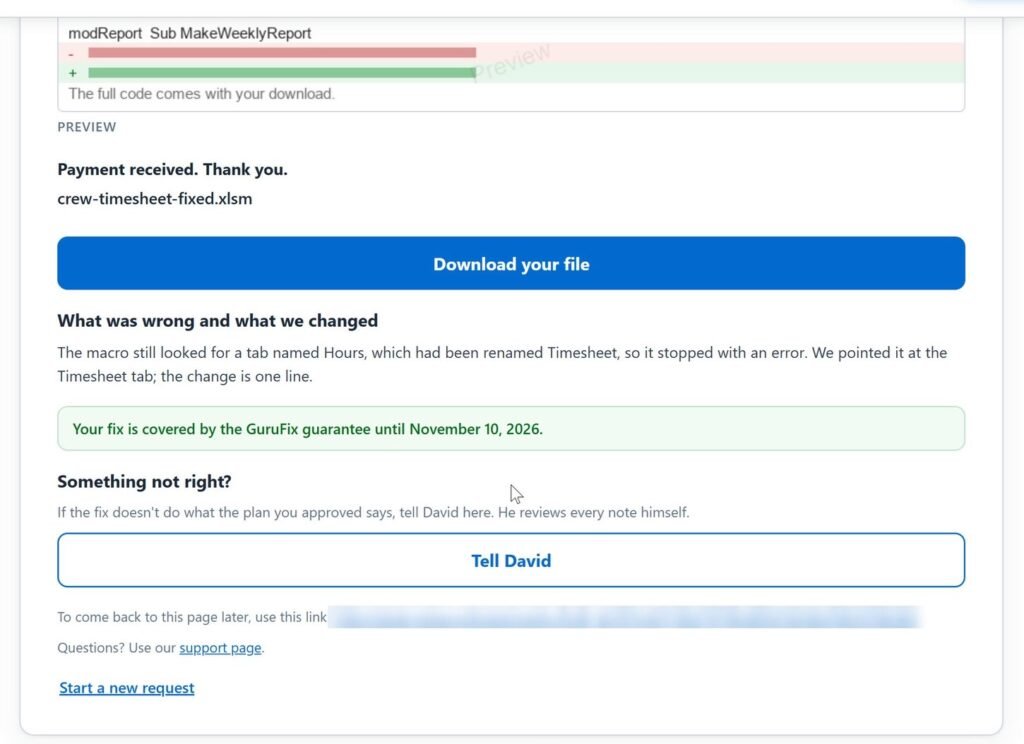
7. Pay and download
Pay the fixed price by card, then download the fixed file on the same page. The note says what was wrong: the macro still looked for a tab named Hours. Every GuruFix is guaranteed: if the fixed file doesn’t do what the plan you approved says, tell us within 14 days of payment, and David reviews it personally and makes it right, or refunds you in full.
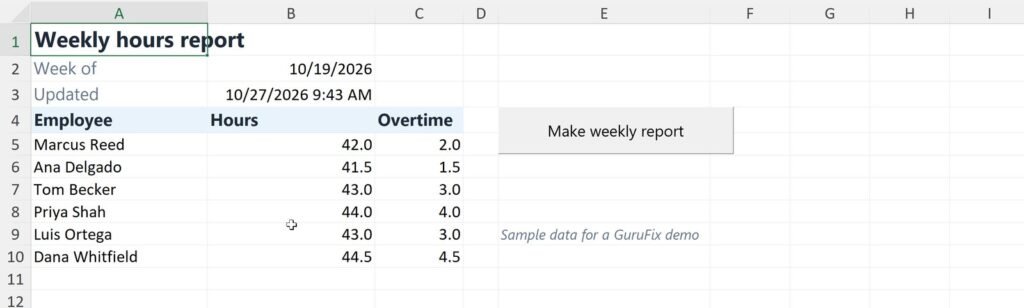
8. The result
Same button, and the Weekly Report fills again.
Two macros in one request
An archive macro that skipped rows and a total that added the wrong column, fixed for $7.
The archive macro left a paid invoice behind whenever two sat next to each other, and the open total added the wrong column, so it said more than half a million dollars was owed. GuruFix fixed both and added the count of moved invoices that was asked for, all for $7. The real open total: $30,663.30.
What GuruFix fixes in a macro
- A sheet or range that was renamed or moved
- Loops that skip rows or stop early
- A total, a message or a small step to add to a macro that already works
- Several macros in one workbook, in one plan and one price
More on why macros break: Why Did My Excel Macro Stop Working? Seven Causes and Fixes, and How to Fix Run-time Error 1004 in Excel VBA.
When David takes it over
Macros that run when the workbook opens or call other programs such as Outlook, new macros, forms or tools built from scratch, and workbooks with Power Query, pivot tables or links to other workbooks go to David with your file. He replies shortly with a fixed-price quote. Nothing is charged until you agree on a price.
Common questions
What does it cost to fix an Excel macro?
GuruFix works out a fixed price for your file and shows it before any work starts. Both fixes in these videos came to $7. You pay only after you have seen the fix.
Do I need to send the code?
No. The code is inside the workbook, so the workbook is all GuruFix needs. The error message word for word helps.
Is it safe to send a workbook with macros?
Yes. GuruFix keeps macros switched off whenever it opens your workbook, so nothing in it runs. Your file is used only for your request. After an instant fix it is deleted 14 days after delivery, and you can ask us to delete it sooner. A copy with confidential data removed is fine.
Fix your macro
Add the workbook and a sentence about what changed.
Every project gets a fixed-price quote before any work starts: the price you approve is the price you pay.