
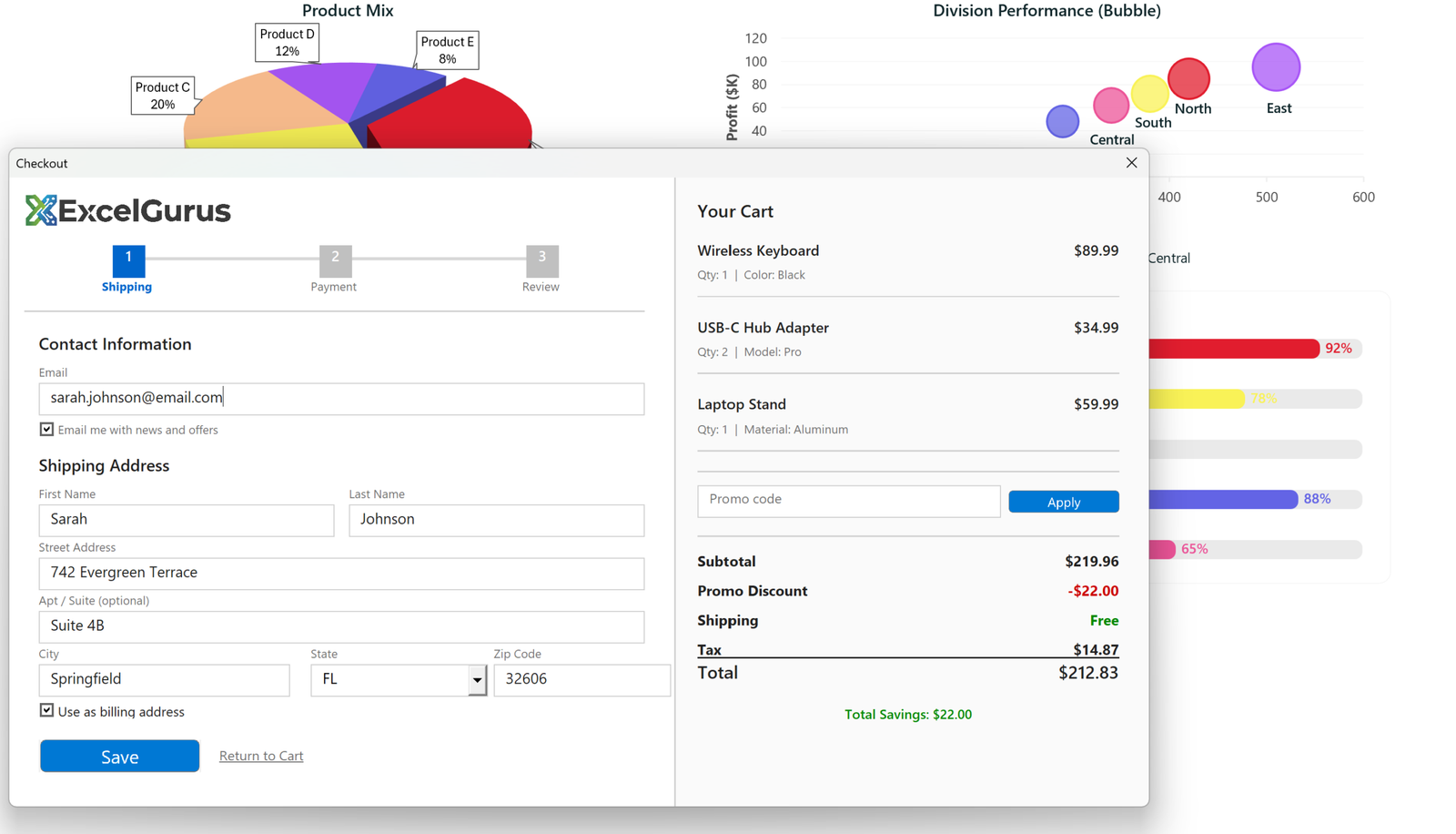
E-commerce-style checkout with step indicator, live cart summary, and promo code support.
The Challenge
When people think of Excel, they do not typically think of e-commerce checkout experiences. This form challenges that assumption by recreating a complete online checkout flow — shipping details, cart summary, promo codes, and tax calculation — entirely within an Excel VBA UserForm.
What This Tool Does
The two-panel layout separates the checkout process from the order summary. The left panel walks users through a three-step process (Shipping, Payment, Review) with a visual step indicator showing progress. Contact information and shipping address fields follow standard e-commerce conventions, including a “Use as billing address” checkbox.
The right panel displays a live cart summary with individual line items, quantities, product details, and prices. A promo code field with an Apply button demonstrates dynamic discount calculation — enter a code and the subtotal recalculates instantly. Below the items, the summary breaks out subtotal, promo discount, shipping, tax, and total with savings highlighted in green.
Why Build This?
This form was built to showcase what is possible when professional UI design principles are applied to Excel VBA. Every element — the step indicator circles, the card-style layout, the color-coded pricing — follows patterns that users recognize from shopping online. The result is a form that feels intuitive even though it runs in a spreadsheet application.
Real-World Applications
Beyond the portfolio demonstration, this type of two-panel layout is highly practical for real business applications: order entry systems, quotation builders, inventory check-out tools, and any workflow where users need to see a summary alongside a data entry form.
Technologies Used
Excel VBA · UserForm Design · Two-Panel Layout · Step Indicators · Dynamic Calculations
Need an Order Entry or Quotation System?
Two-panel layouts work for any process where users enter data on one side and see results on the other. Tell us about your workflow. → Start a Project