
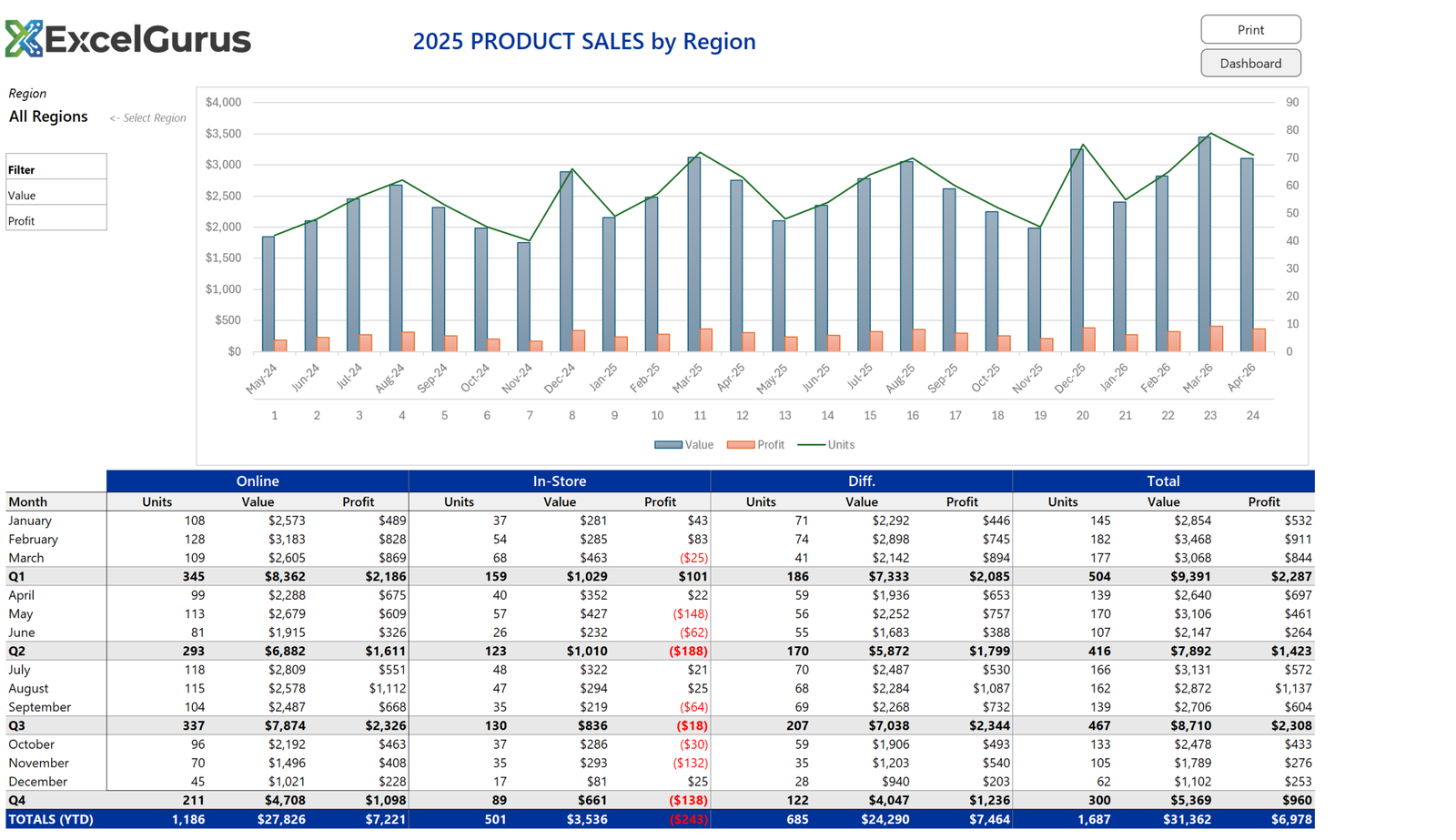
Automated product sales report combining chart visualizations with structured data tables.
The Challenge
Sales reporting often involves two separate outputs: charts for presentations and tables for detailed analysis. This product sales report combines both into a single, automated Excel tool that generates professional reports with one click.
What This Report Does
The report features bar and line chart combinations showing monthly sales trends alongside a formatted data table breaking down units, revenue, and profit by product and time period. The dual-format approach ensures that both visual thinkers and detail-oriented analysts get the information they need in a single view.
Quarterly subtotals and year-to-date totals are automatically calculated and highlighted with bold formatting and color accents. The report handles the formatting details that typically consume hours of manual work — merged headers, alternating row shading, proper number formatting, and consistent alignment.
How It Works
The VBA automation behind this report is where the real value lies. The user maintains a simple data input sheet with raw sales figures. When they click the generate button, the code creates the charts, builds the formatted table, applies all styling, and outputs a print-ready report. What used to take two hours of manual formatting now takes two seconds.
Why It Matters
This type of automated report is among the most commonly requested Excel VBA projects. Nearly every business has some version of a monthly or quarterly sales report that someone spends hours formatting by hand. Automating it saves time, eliminates errors, and ensures consistent presentation every time.
Technologies Used
Excel VBA · Chart Automation · Report Formatting · Data Tables · Automated Reporting
Spending Hours Formatting Reports?
If your team builds the same report every week or month, we can automate it so it generates with one click. → Start a Project