
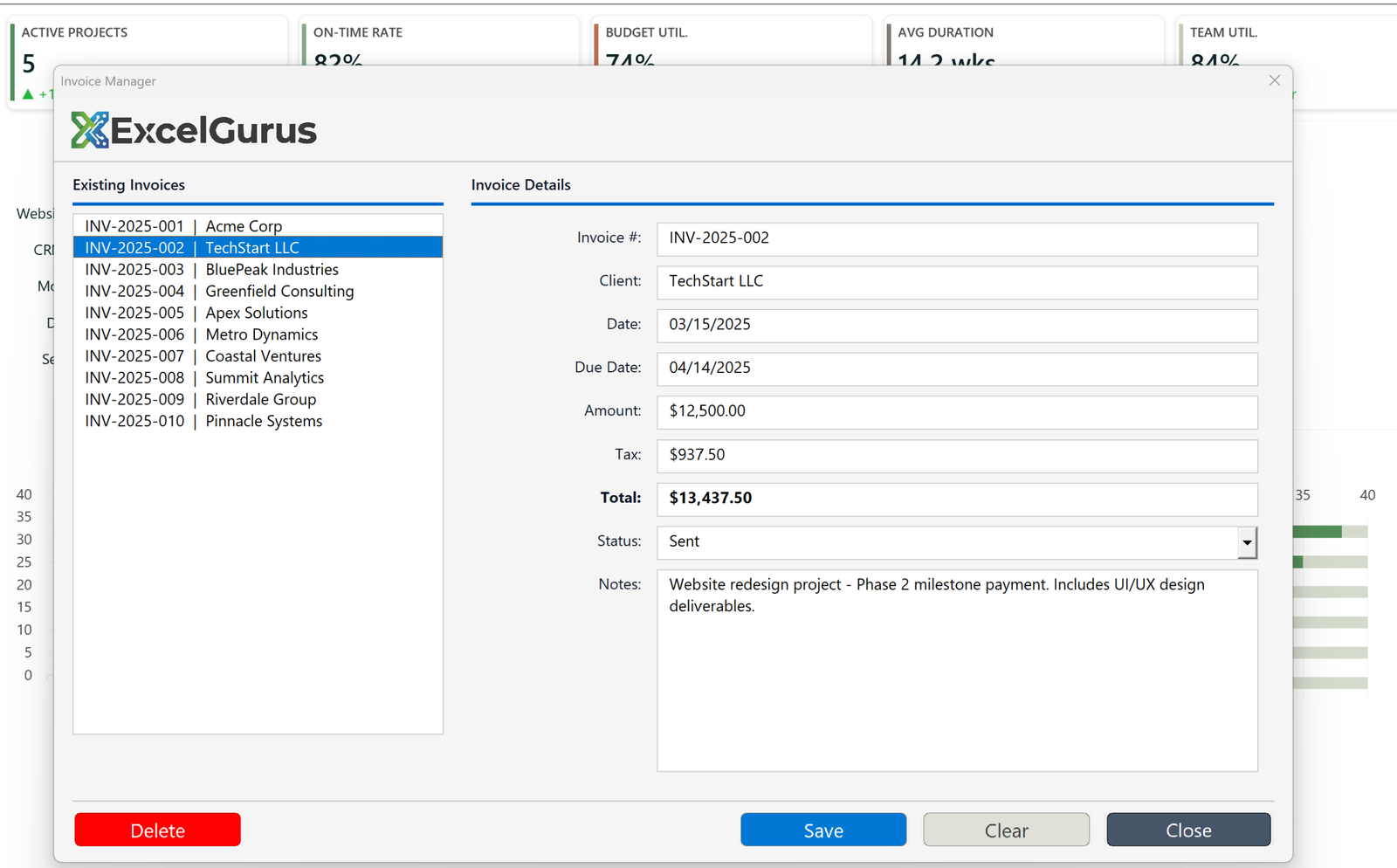
Master-detail invoice system with list navigation, instant detail view, and professional button design.
The Challenge
Managing invoices in Excel usually means scrolling through rows of data, copying values between cells, and hoping nothing gets overwritten. This custom invoice manager replaces that chaos with a professional application-style interface built entirely in Excel VBA.
What This Tool Does
The form uses a master-detail layout — a proven design pattern borrowed from professional software development. The left panel displays a scrollable list of all invoices with invoice numbers and client names. Click any invoice and the right panel instantly populates with full details: invoice number, client name, date, due date, amount, tax, total, status, and notes.
The interface features custom-designed picture buttons (Delete, Save, Clear, Close) that replace the default Windows-style buttons with a clean, modern look. The blue accent header with the ExcelGurus logo gives the form a branded, professional appearance that clients appreciate when their team uses the tool daily.
How It Works
Behind the scenes, the VBA code handles data validation, automatic tax calculations, status tracking, and data storage. Users interact with a polished interface while the spreadsheet does the heavy lifting underneath. New invoices can be created, existing ones edited, and records deleted — all without the user ever touching a spreadsheet cell directly.
Who It’s For
This type of tool is ideal for small businesses and freelancers who need invoice tracking but do not want to pay for dedicated accounting software. It runs in Excel, requires no installation, and can be customized to match any invoicing workflow.
Technologies Used
Excel VBA · UserForm Design · Master-Detail UI · Custom Picture Buttons · Data Validation
Need a Custom Data Entry Interface?
Whether it’s invoices, orders, or any record-keeping task, we build professional Excel interfaces that your team will actually enjoy using. → Start a Project