
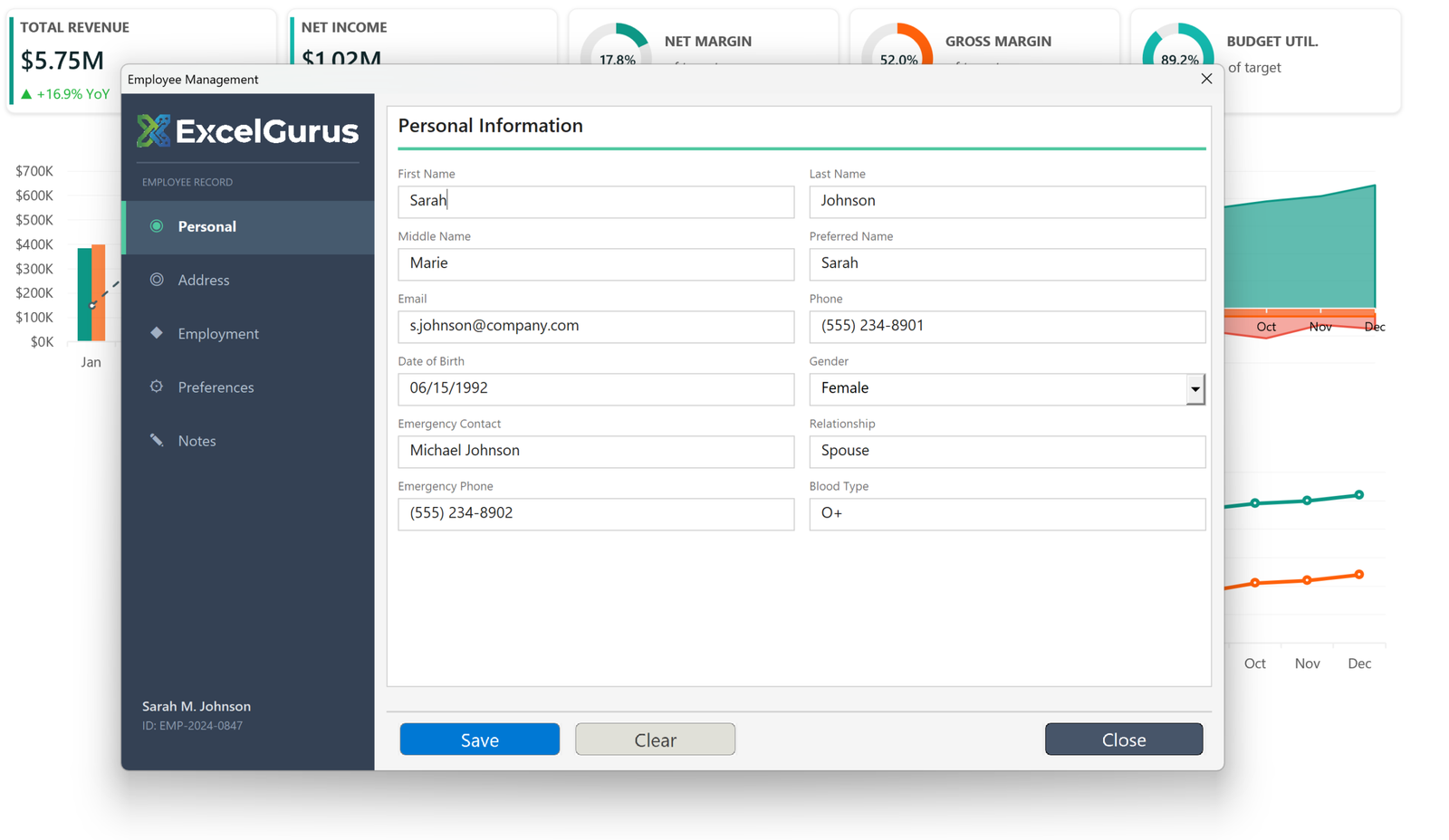
Tabbed employee record system with dark sidebar navigation and multi-section data entry.
The Challenge
Managing employee records often involves multiple spreadsheets for personal information, addresses, employment history, preferences, and notes. This employee management form consolidates everything into a single, elegantly designed interface with side-panel navigation.
What This Tool Does
The dark sidebar on the left provides vertical tab navigation with five sections: Personal, Address, Employment, Preferences, and Notes. Each section is marked with an icon and the active section is highlighted with a green indicator dot and white text. The employee’s name and ID appear at the bottom of the sidebar, providing persistent context as users navigate between sections.
The main content area displays the selected section’s fields in a clean, two-column layout. The Personal section captures first name, last name, middle name, preferred name, email, phone, date of birth, gender, emergency contact details, and blood type. Each field features a floating label design where the field name appears above the input area.
Design Details
The ExcelGurus (or your) logo and “Employee Record” label at the top of the sidebar reinforce the branded, application-like experience. Save, Clear, and Close buttons at the bottom follow a consistent color pattern: teal for primary actions, gray for secondary, and dark for closing.
The navigation pattern used here — a persistent sidebar with section switching — is borrowed from modern web and desktop applications. It solves the common VBA problem of trying to fit too many fields on one screen by organizing them into logical groups that users can browse naturally.
Real-World Applications
This design approach works for any record-heavy application: customer management, asset tracking, patient records, vendor databases, or any system where each entry has multiple categories of information.
Technologies Used
Excel VBA · UserForm Design · Side Navigation · Tabbed Sections · Multi-Category Data Entry
Have a Complex Data Entry Need?
If your team manages records with many fields across multiple categories, we can build an interface that keeps everything organized and accessible. → Start a Project